11
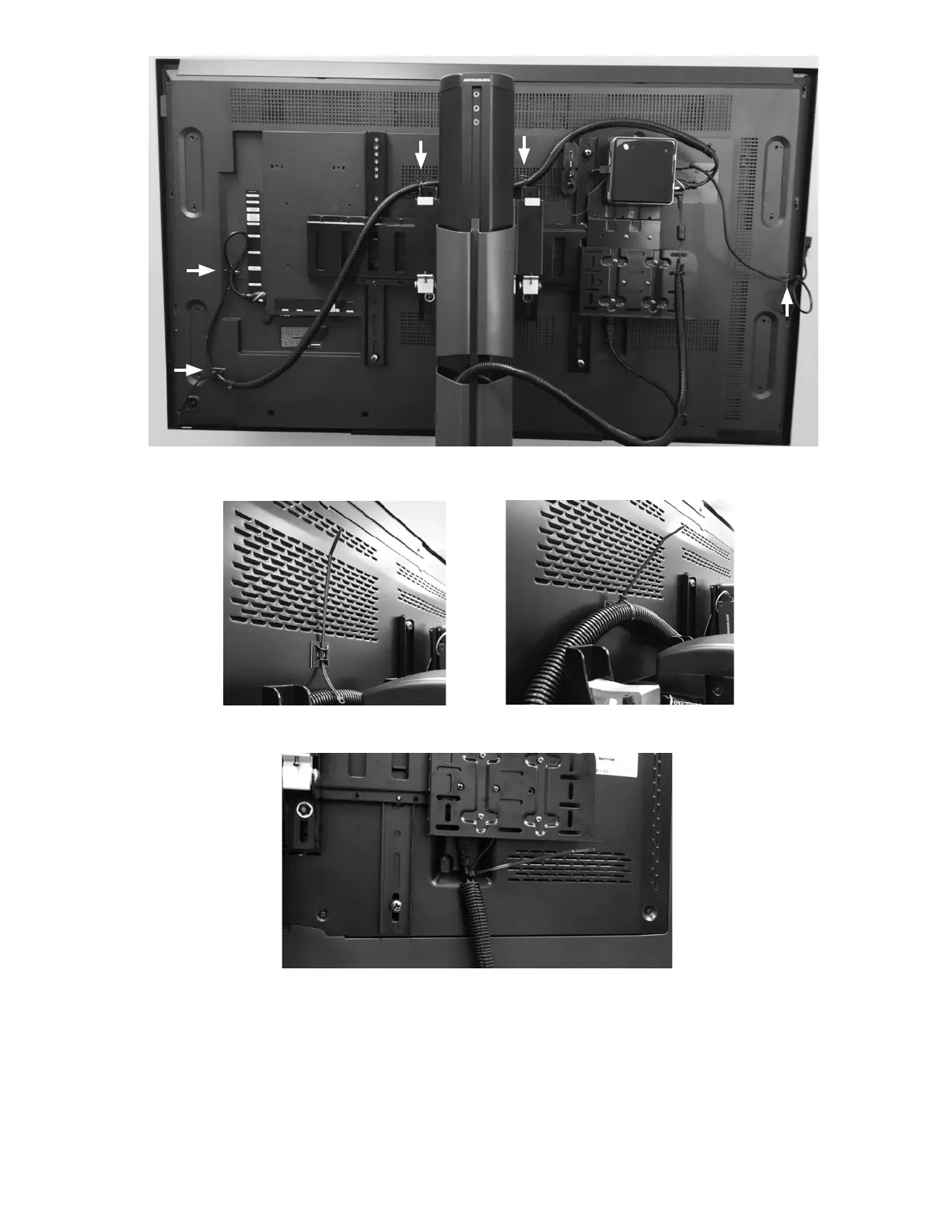
Figure 12: Mounting Bases Attachment Locations for 55" Monitor (example only)
Figure 13: Feeding Zip Tie into Mounting Base (Left), Securing Zip Tie (Right)
Figure 14: Inserting PC Power Cord and Display Monitor Cord (example only)
9. Carefully push the Touchscreen Display Monitor down to the lowest position on the tower of the display stand.
10. Insert the wire loom (with the PC power and Display Monitor cords) into the left side of the tower covers that are
located on the back of the display stand. Start with the cover that is second to the top. Make sure to include enough
slack in the wire loom to accommodate the movement of the display stand. See Figure 15. This is needed so the
cables do not pull out of their connection points when the Display Monitor is in the highest position on the display stand.
11. Wind the Touchscreen Display Monitor Power Cord up the right side of the display stand tower covers and back down
the left side.



 To Next Page