13
2. Unlock the wheel casters and point the wheels in the direction of travel.
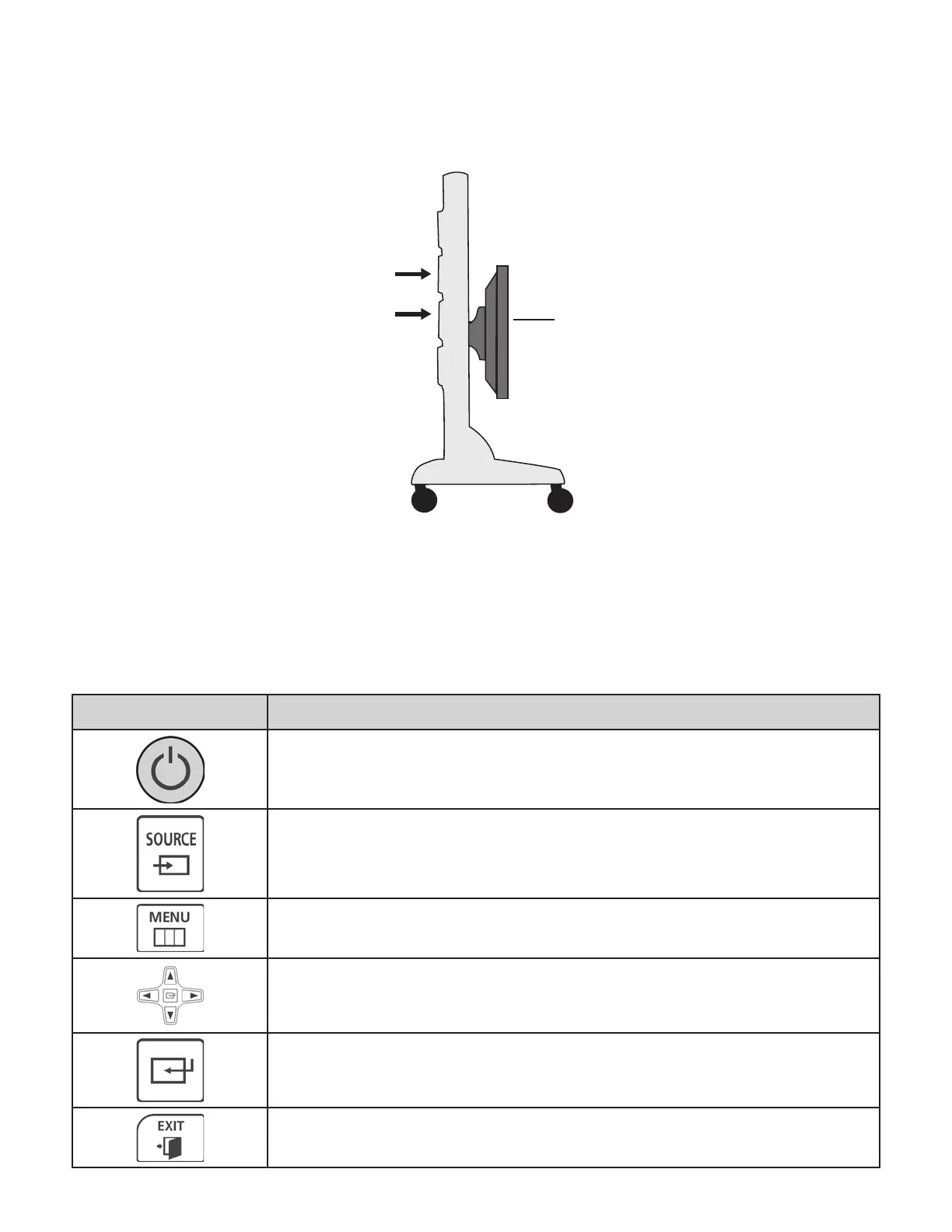
3. Push the portable display stand from the side with both hands on the tower. See Figure 17.
4. Move the display stand to the new location and lock the wheel casters.
5. Position the Display Monitor to the desired height by pushing the bottom of the screen vertically with two hands.
Figure 17: Correct Position for Moving Portable Display Stand
6. Plug the power cord on the Power Strip into a 3 pronged grounded wall outlet.
Samsung Display Monitor
The Display Monitor requires the use of a Remote Control. See Table 1 below for descriptions of the commonly used buttons
on the Remote Control.
Icon Description
Power On: Press the Power On button to turn on the Display.
Source: Press the source button to select the correct HDMI input.
Menu: Press the Menu button to open the Display settings.
Navigation: Use the Up, Down, Left and Right arrow buttons to
navigate through the available options.
Enter: Press the Enter button to make selections and confirm
setting changes.
Exit: Press the Exit button to close the Display settings.
Position of Hands
on Tower
Position of Touch
Screen Display



 To Next Page