Fetal Monitor FC-700 Operating Manual
Chapter 2. How to Use FC-700
1) Basic operation
① Put the plug of FC-700 in an outlet and switch it on.
② Check setup values if they are set as wished.
③ Change the setup values, as you want.
④ Put the Doppler Probe and the UC Probe on a pregnant woman using a belt.
⑤ Give her Mark Jack to press when she feels fetal movements.
⑥ Press “REFERENCE” Key to set the UC value at a zero.
⑦ Control the volume to hear fetal heart beat well.
⑧ If the accurate heart rate is indicated, press the Record Key to start printing it.
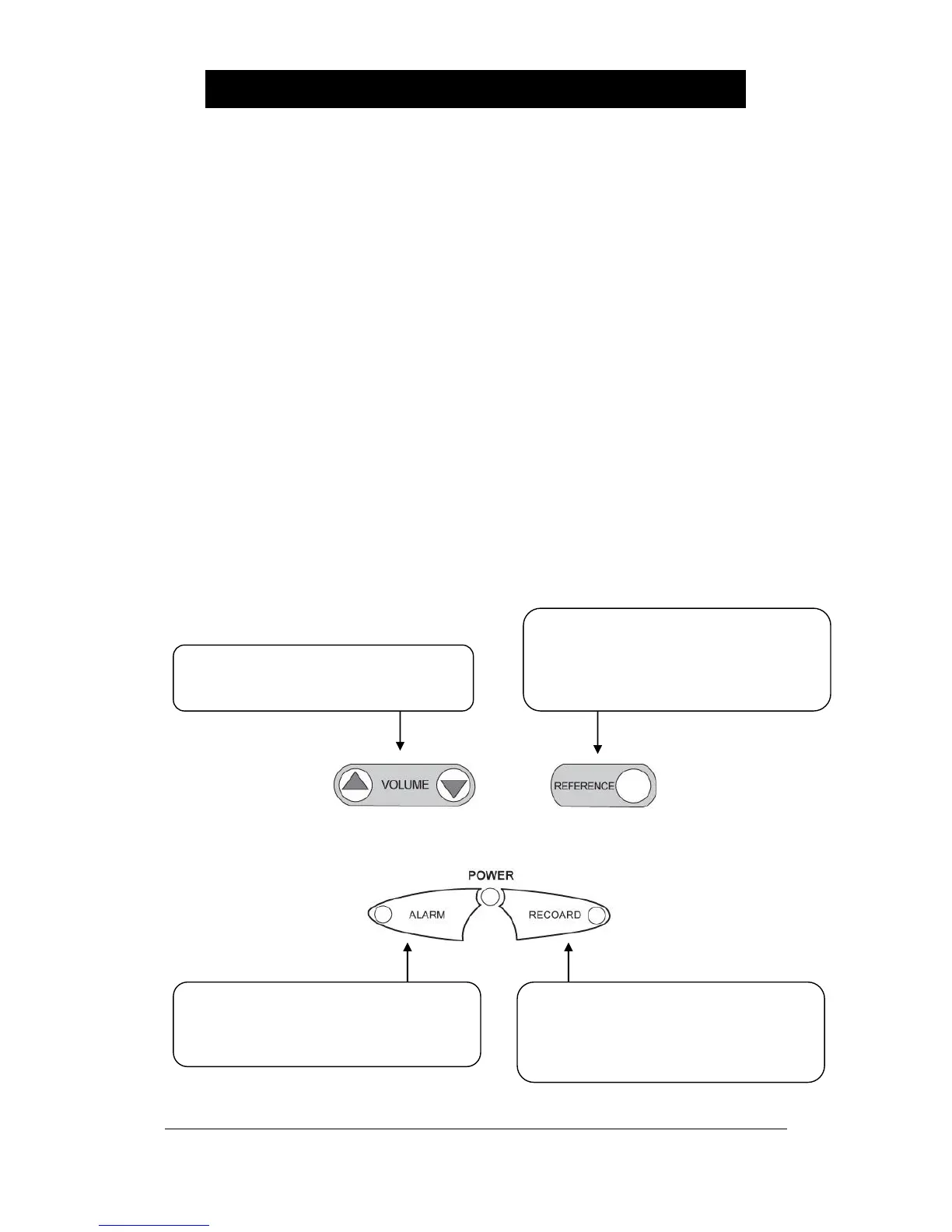
2) Function of Keys
▣ KEY
Press △/▽ to control the volume (0~7)
Change the setup values at the setup
mode
Press it for a short time for On/Off of Alarm
Press it for a long time for the alarm setup
mode
Cancel the setup in case of setup mode
Press it for a short time for Start/Stop of
recording
Press it for a long time for the rapid output
of recording paper
At the setup mode, the setup will be stored.
Press it for a short time for initialization with
the UC value at 10.
Press it for a long time for the recording
setup mode.
When in setup mode, move to next menu


 To Next Page