3) Factory Setup
▣ How to Set the FHR Alarm Delay
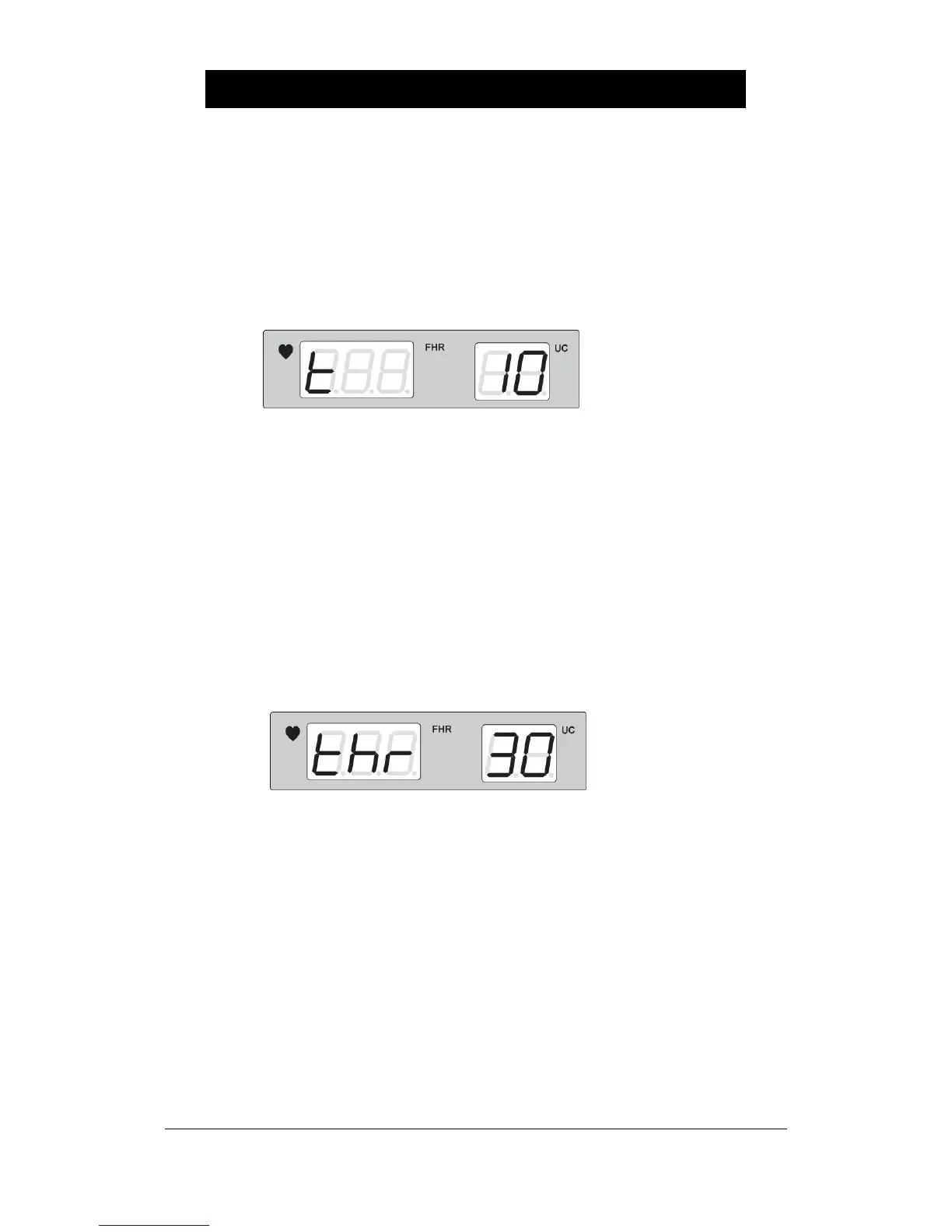
To set the FHR alarm delay, switch it off (and then press the Volume Down key) and switch it on
again pressing the Volume Up key. Then, the following appears which indicates that the alarm
delay time (‘t’) is set at ten minutes.
The set-up value of alarm delay is at six levels—10, 20, 30, 40, 50, and 60—and its unit is a
second. When the alarm is on, FHR exceeds the established alarm delay; thus, an alarm of
“Beep, beep, beep~” is made when it is beyond the upper/lowest limit of FHR alarm. The factory
value is set at 20. Press the Volume Up/Down Key to change the set-up value. Press the
Record key to store the set-up value. Then, this value is stored and then returns to the basic
state with a signal of “Ding-dong”.
▣ How to Set the Automatic Fetal Movement Indication
To set the automatic fetal movement indication, switch it off, and then switch it on again with the
Volume Down key pressed. Then, the following is indicated.
The set-up value of automatic fetal movement indication can be between 0, 5,….,90, and 95,
and its unit is percent (%). When the Doppler signal exceeds the set-up value during operation,
marks with a dot indicating the fetal movement point between FHR and UC. When the set-up
value is 0, doesn’t mark with a dot. To change the set-up value, press the Volume Up/Down Key.
To store the set-up value, press the Record key. Then, this value is stored and then it returns to
the basic state with a signal of “Ding-dong”.


 To Next Page