Chapter 3. Setup Modes
The setup modes include those of alarm/time, recording, and factory. The factory setup is a part
having great effect on the performance of the equipment if the set-up value is easily changed;
so it is somewhat hard for a user to access.
1) Alarm/Time Setup
It is a mode to set the upper and lowest limits of normal FHR, date, and time in terms of the
FHR alarm function.
▣ How to Operate the Alarm/Time Setup Mode
① Press the Alarm key for over two seconds to change into the alarm/time setup mode.
② Press the Reference key to move to the next item.
③ Press the VOLUME △/▽ key to change the set-up value.
④ Press the Record key to store the set-up value and then return it to the basic state.
⑤ Press the Alarm key to cancel the set-up value and then return it to the basic state.
▣ How to Set the FHR Alarm
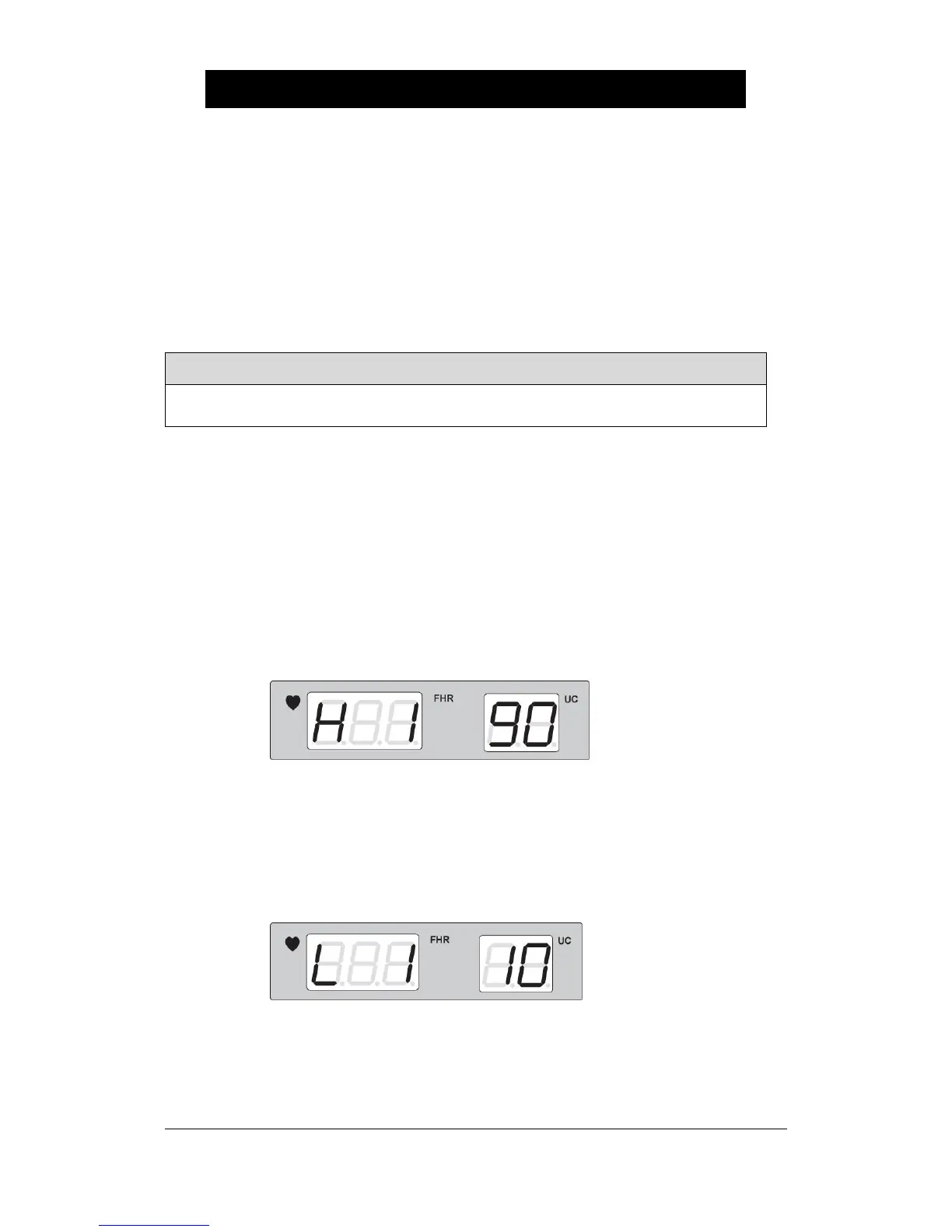
① Press the Alarm key for over two seconds to set the upper limit of FHR alarm. Then the
following appears which indicates that the current FHR upper limit is set at 190.
To change the set-up value, press the Volume key. To store the set-up value, press the
Record key. Then, this value is stored and it returns to the basic state with a signal of
“Ding-dong”.
② To set the lowest limit of FHR alarm, press the Alarm key for over two seconds and then
the Reference key to indicate the following. It indicates that the current lowest value of
FHR alarm is set at 110.
To change the set-up value, press the Volume Up/Down Key. To store the set-up value,
press the Record key. Then, this value is stored and then it returns to the basic state with a
signal of “Ding-dong”.


 To Next Page