5) Measurement of Fetal Movements
▣ How to Use Event Marker
Even Marker relys on the recognition of a pregnant woman to record a fetal movement point:
when she feels a fetal movement, press a button on Event Marker. When Event Marker is
pressed during recording, the fetal movement point is indicated with an arrow mark on recording
paper with a signal of “Beep~”
.▣ How to Use the Automatic Fetal Movement Measurement
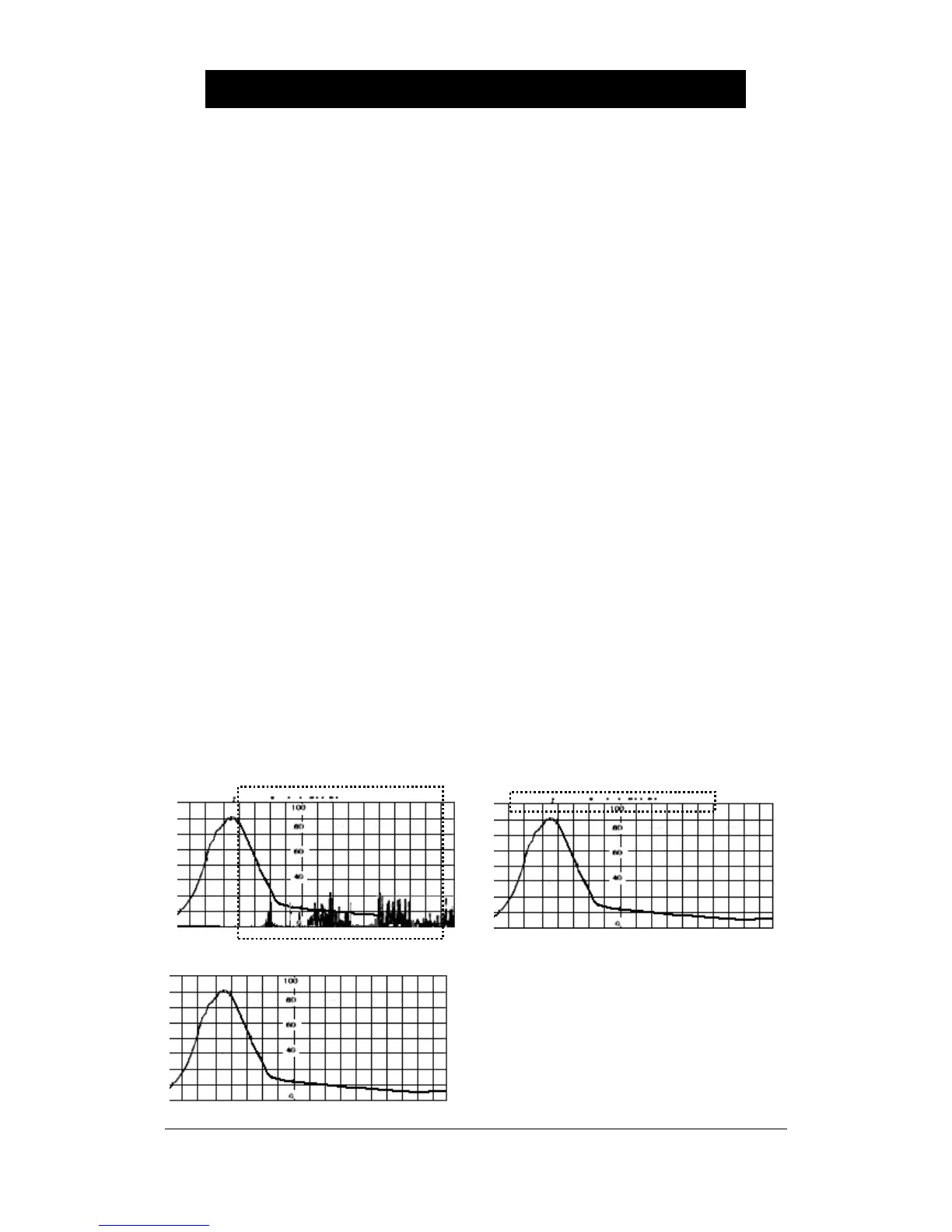
The automatic fetal movement measurement extracts information propotional to strength and
intervals of fetal movements from the received ultrasonic Doppler signal and records it with a
uterine contraction graph at recording paper. If it exceeds the established critical loudness value
of fetal movements, record the fetal movement point with a dot between the FHR graph and the
UC graph. It can be used as follows:
1. Set the “FM+FMD” menu at ‘1’ at the recording setup mode to enable the automatic fetal
movement measurement function to work. (See Paragraph 2 of Chapter 3 “Recording
Setup”). Value ‘1’ is [FM+FMD], ‘2’ is [FMD Only], and ‘0’ is [Off].
2. Set the “thr” menu at the value between 5 and 95 for the critical strength value of fetal
movements at the factory setup mode. If the maximum strength of fetal movement is
regarded as 100, record the fetal movement point with a dot between FHR and UC when it
exceeds the setup. (See Paragraph 3 of Chapter 3 “Factory Setup”)
3. When “thr” menu is at ‘0’, doesn’t mark with a dot.
4. Set the “FM” item at ‘0’ at the recording setup mode in order not to use the automatic fetal
measurement function.
* < “1” FM + FMD > * < “2 “ : FMD Only >
* < “0 “ : FM Off >


 To Next Page