17
16
Meter activation and Battery change
Meter activation and Battery Change
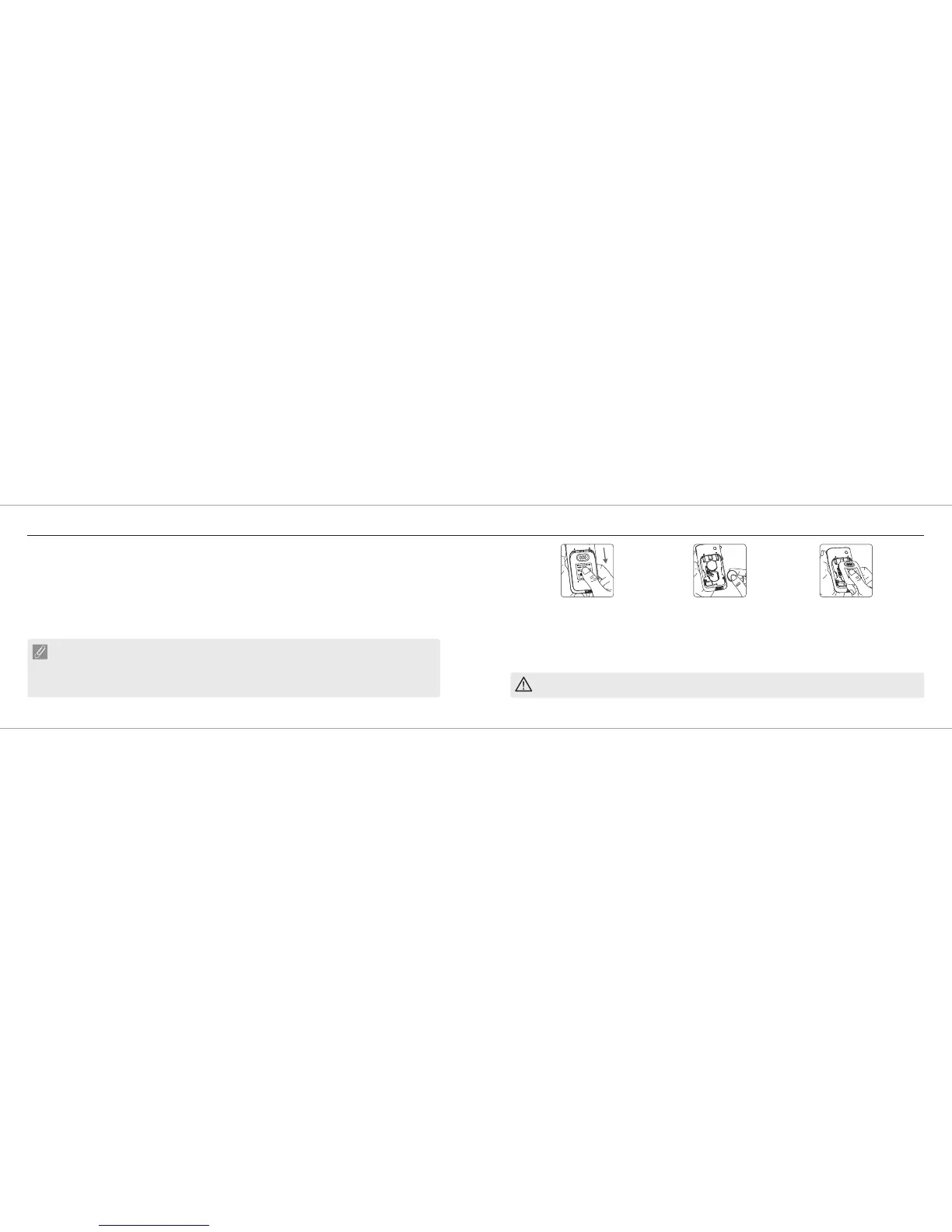
1. Turn the
GM550 over. Press and push battery
cover to open.
Rightest
®
Blood Glucose Meter
PRECAUTION
- Please follow the local regulation and discard a used battery properly.
4. The Blood Glucose Meter GM550 performs a self test.
5. Press any button to exit the self-test and enter Setting Mode.
6. Set the time and date when the batteries are replaced. See Chapter "Setting up your meter - setting the time, volume
and date". Test results are still stored in the memory.
Rightest
®
3. Slide the battery cover back until it
snaps into place.
2. Install the batteries. Be sure to put
battery in correct direction.
Your Blood Glucose Meter GM550 comes with two CR2032, 3volt, batteries installed. Two new batteries will
provide power to perform about 1000 tests under normal use. You can press the main button or insert a strip to activate
your meter.
Rightest
®
NOTE
- When Blood Glucose Meter GM550 backlight has no function, you cannot see the backlight, please
change your backlight battery.
- When the backlight battery is running out of power, your Blood Glucose Meter GM550 still works
properly but without backlight function.
Rightest
Rightest
®
®














 To Next Page