14
Power supply
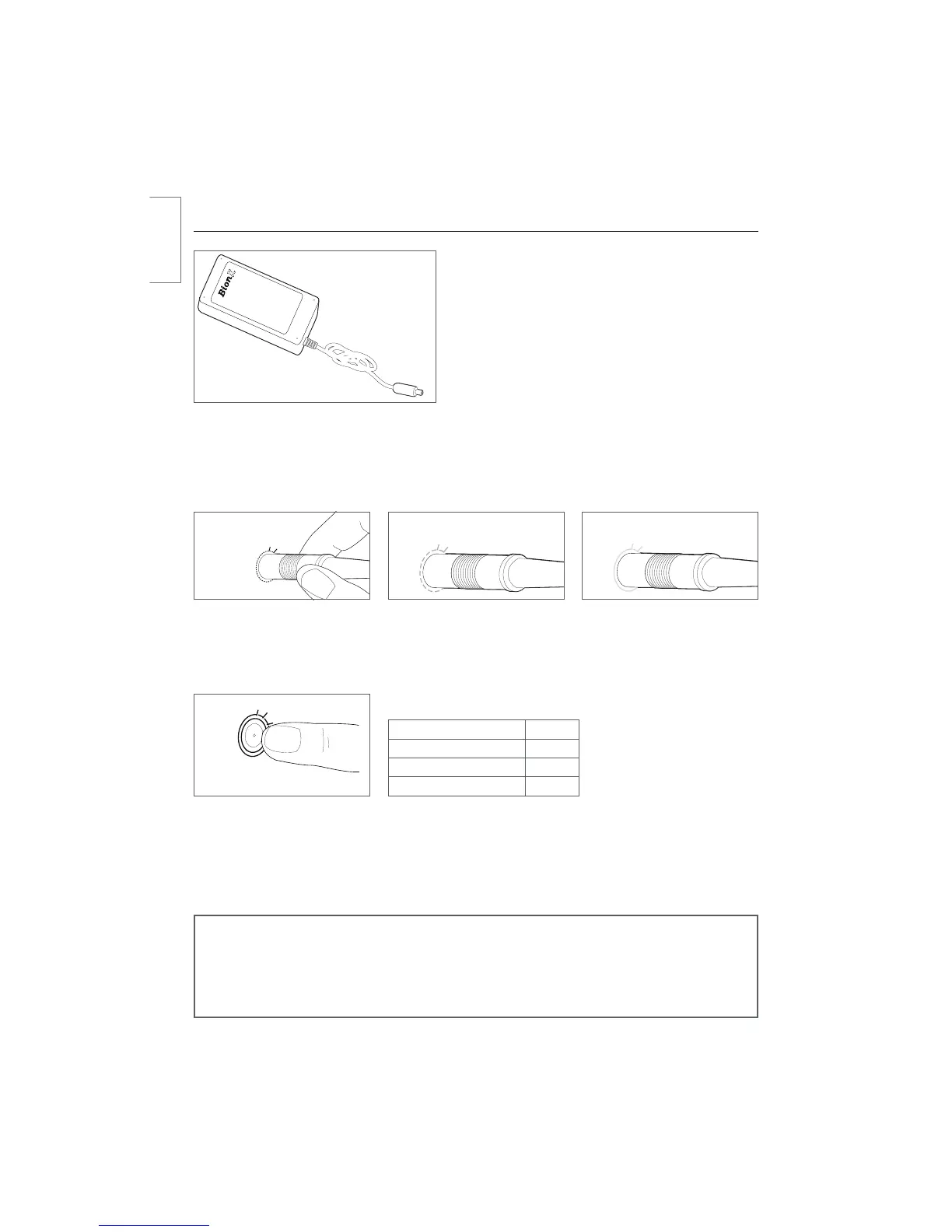
SL system charging procedure (power supply)
t Connect the power supply and the battery by
JOTFSUJOHUIFDIBSHFDPOOFDUPSJOUPUIF506$)1035
– the BionX system can be on or off
t Connect the power supply to a power receptacle
t5IFCBUUFSZ506$)1035-&%SJOHBSPVOEUIF
DIBSHFDPOOFDUPSMJHIUTVQSFEVQPOJOTFSUJPOBOE
then turns to amber during the charging process
t When fully charged, the colour of the LED ring
changes to green. The battery charging process is
then complete
tFollowing this procedure the charging connector should be disconnected from the battery
tDuring the charging process you can check the battery state-of-charge through the console if the
CBUUFSZJTDPOOFDUFEUPUIFTZTUFNoB7TZTUFNDBOCFTXJUDIFEPOXIJMFJUJTDIBSHJOH
Battery state-of-charge Colour
100-75 % Green
75-20 % Amber
< 20 % Red
Checking the 48V Battery state-of-charge
t4XJQFZPVSmOHFSTMPXMZPWFSUIF506$)1035
tBattery state-of-charge LED will illuminate
t"MMPXUFOTFDPOETCFGPSFDIFDLJOHTUBUFPGDIBSHFBHBJO
NOTE
The power supply is suitable for line voltage ranges of 110-115V or 220-230V, and com-
pensates automatically. The 48V battery is designed to be charged by a 26V BionX power
supply. The battery has an integrated charger which permits the use of a small, portable
power supply.
Ensure that a completely charged battery is no longer connected to the power supply after the charge
procedure is completed.
506$)1035HSFFO
fully charged
506$)1035BNCFS
charging
506$)1035SFE
upon insertion
english



 To Next Page