18
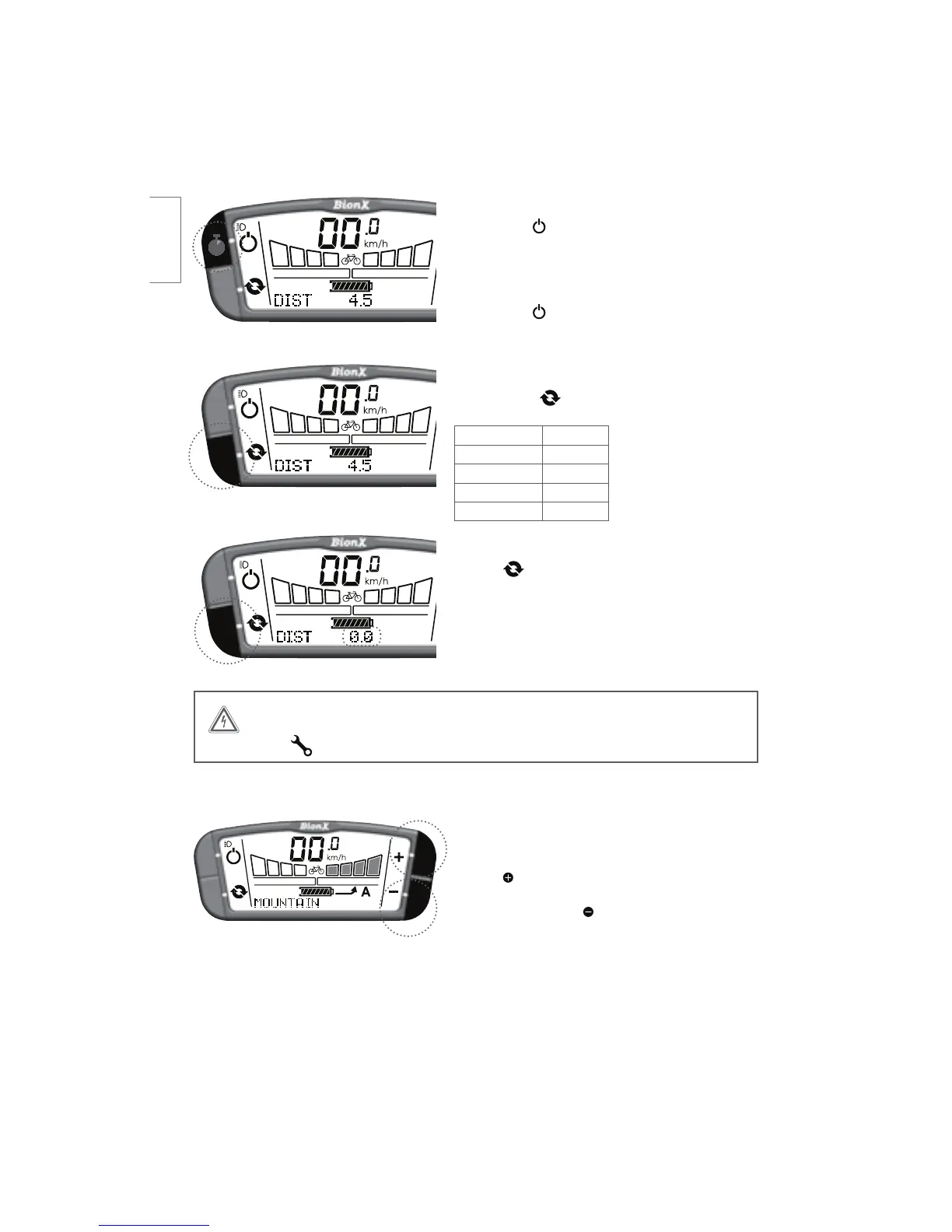
Turn on backlight and bicycle light (if applicable)
Push and hold
key for 4 seconds - display backlight
BOECJDZDMFMJHIUJGBWBJMBCMFCBUUFSZJOUFHSBUFEBSF
turned on.
Turn off backlight
Push and hold key again for 4 seconds.
Select the cycling computer functions
Briefly push the LFZUPDIBOHFCFUXFFO
Trip Distance DIST
0EPNFUFS0%0
Clock $-0$,
Average Speed "741%
Chronometer $)30/0
To reset the cycle computer functions
)PMEUIF key for a few seconds to reset the distance,
chronometer, or average speed values to zero.
4s
WARNING
If this symbol appears please contact your BionX dealer for service.
Mountain Mode (where available)
)PMEUIF CVUUPOGSPNBOZMFWFMPG"PS(UP
FOHBHF5IFGPVSBTTJTUMFWFMTXJMMnBTI.06/5"*/
will appear briefly. Press to disengage.
english



 To Next Page