56
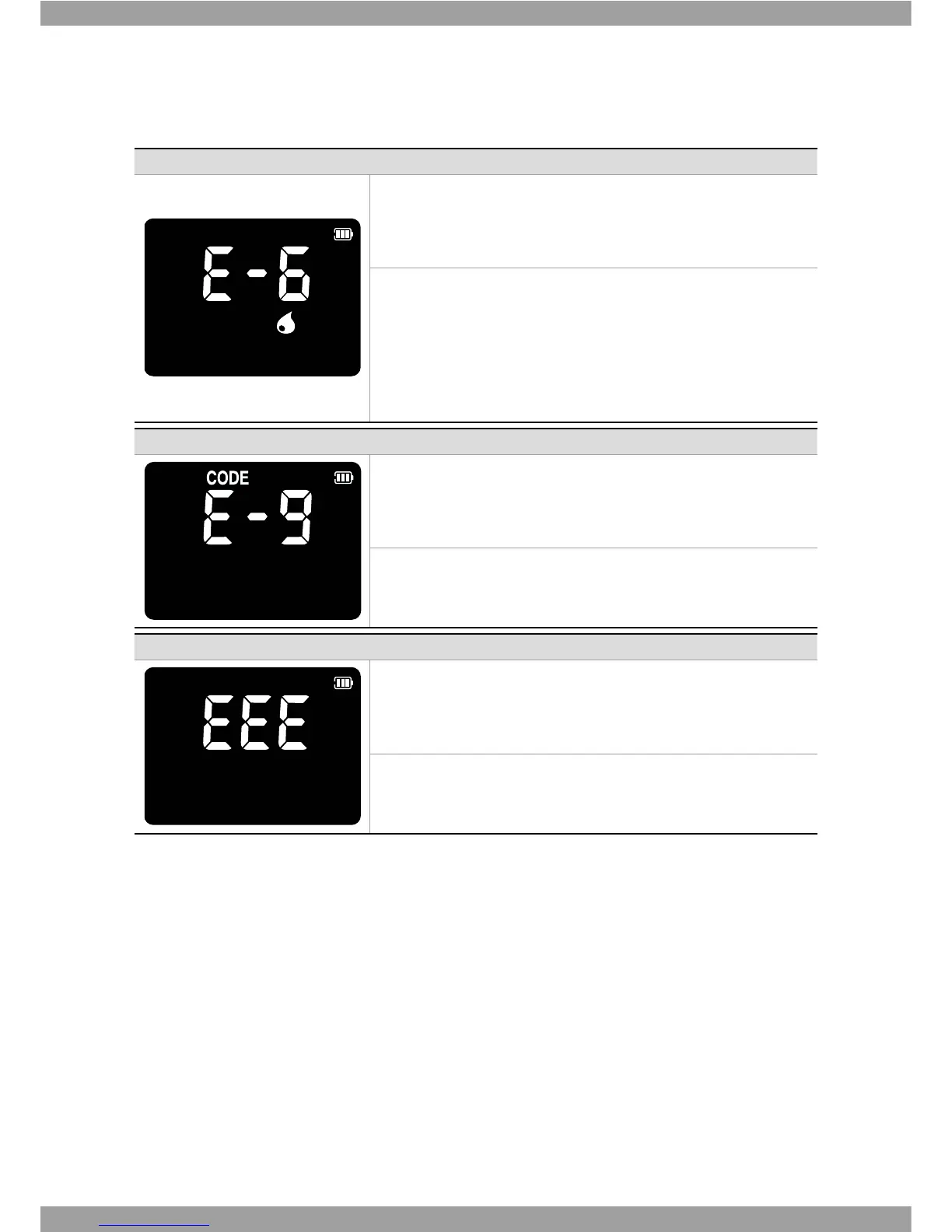
Indication Error description
Error: Extremely Total hemoglobin
*GUIFNFBTVSFEUPUBMIFNPHMPCJOJTVOEFSHE-PSPWFSHE-
Solution
5IJTTBNQMFNBZCFMPXVOEFSHE-PSIJHIPWFSHE-PGUIF
total hemoglobin in the blood. If this error continues in blood sample
of normal range of total hemoglobin, turn o an analyzer. Then turn
on the analyzer again. If there is still error message, please contact SD
#JPTFOTPS*OD5&-
Indication Error description
Error: Communication Error with code chip
The analyzer cannot communicate to the inserted code chip.
Solution
Re-insert the code chip. If there is still error massage, please contact
4%#JPTFOTPS*OD5&-
Indication Error description
Error: Internal Error Message for a analyzer
It happens to internal error not to work.
Solution
Turn off and then turn on the analyzer again. If there is still error
NBTTBHFQMFBTFDPOUBDU4%#JPTFOTPSJOD5&-



 To Next Page