BIB75-M2T
41
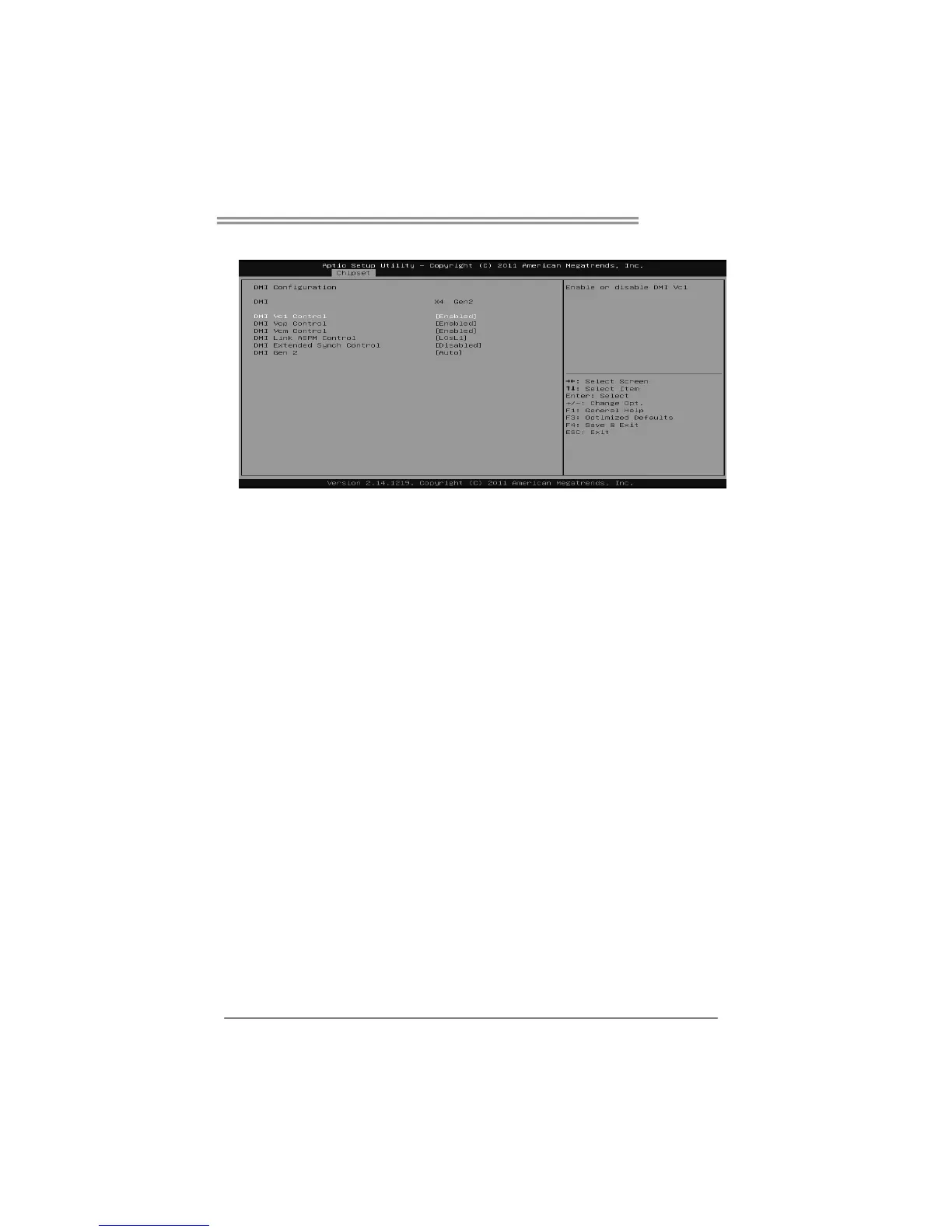
DMI Configuration
DMI Vc1 Control
Enable or disable DMI Vc1.
Options: Enabled (Default) / Disabled
DMI Vcp Control
Enable or disable DMI Vcp.
Options: Enabled (Default) / Disabled
DMI Vcm Control
Enable or disable DMI Vcm.
Options: Enabled (Default) / Disabled
DMI Link ASPM Control
Enable or disable the control of Active State Power Management on SA side of
the DMI Link.
Options: L0sL1 (Default) / L1 / L0s / Disabled
DMI Extended Synch Control
Enable or disable DMI Extend Synchronization
Options: Disabled (Default) / Enabled
DMI Gen2
Enable or disable DMI Gen2/nAuto means disabled for IVB A0 MB/DT and IVB
B0 MB, Enabled for other CPUs.
Options: Auto (Default) / Enabled / Disabled









 To Next Page