24 | Chapter 2: Installation
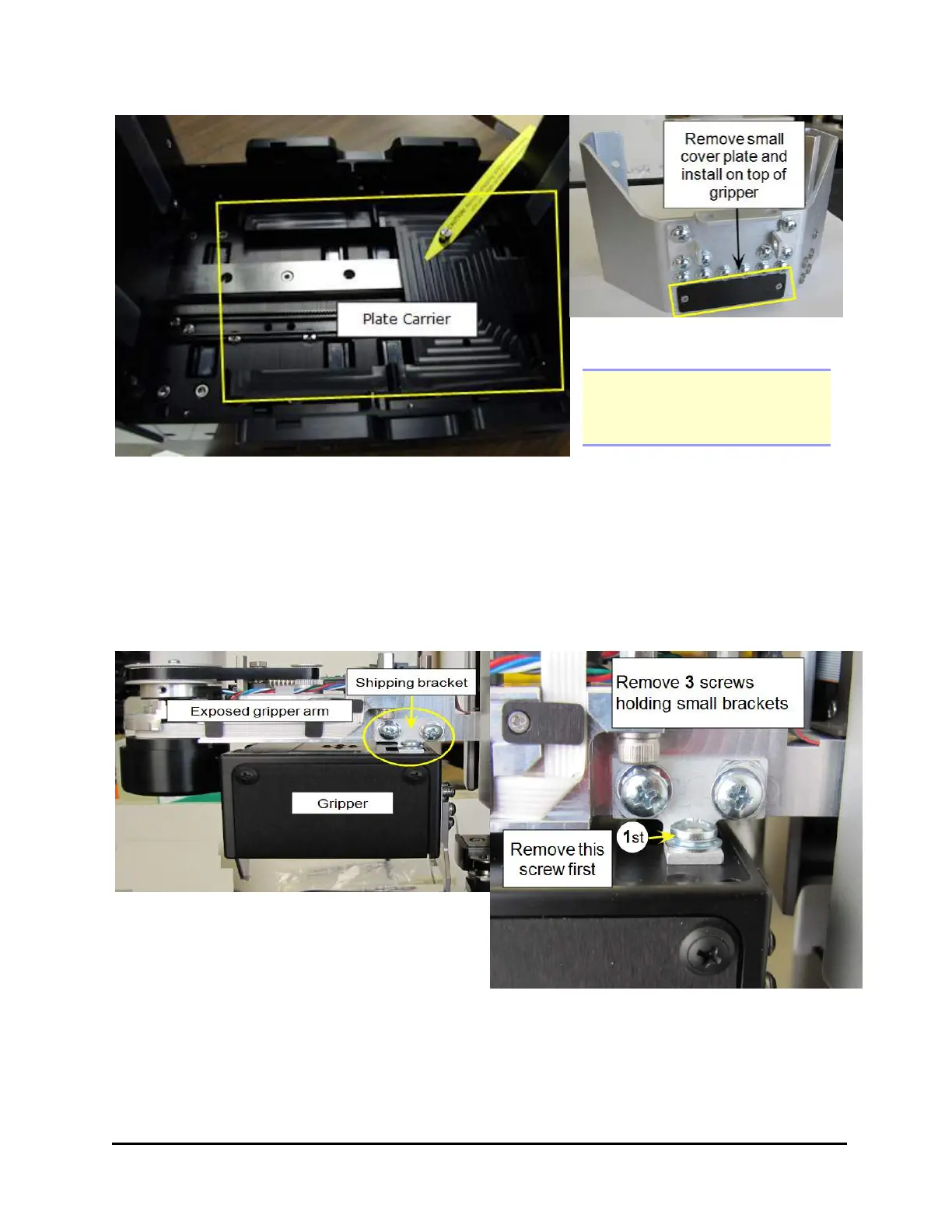
Remove the gripper cover plate
Note: Screw the screws into
the shipping bracket for
storage.
5. Remove the plate carrier shipping screw.
6. Returning to the front of the BioStack, remove the rubber band that holds the
rotational wrist secure.
7. Remove the small shipping brackets on each side of the wrist that hold the
gripper steady. On both sides, first remove the screw from the gripper itself,
then remove the two screws from the gripper arm.
BioStack™ Microplate Stacker



 To Next Page