Remove the Shipping Hardware—BioStack 4 | 25
Gripper Arm Cover
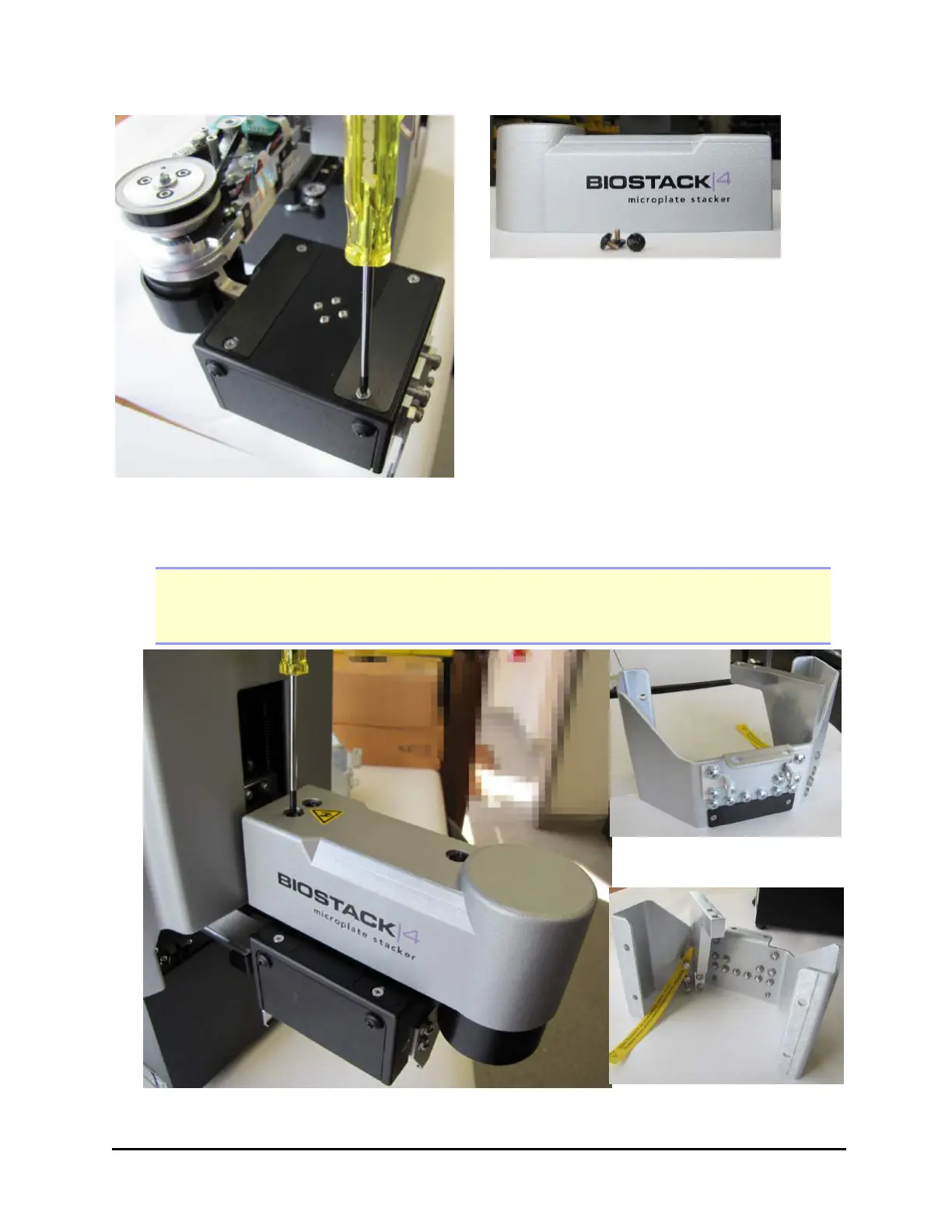
8. Install the small cover plate you removed from the shipping bracket on top of
the gripper, using the small Phillips-head screwdriver.
Note: Do not let the gripper flop around! Before moving the BioStack 3 or BioStack 4,
secure the gripper with a rubber band or tape to prevent it from losing its alignment.
A complex recalibration is required if it is knocked out of position.
Save the shipping hardware
Installing the gripper arm cover
BioTek Instruments, Inc.



 To Next Page