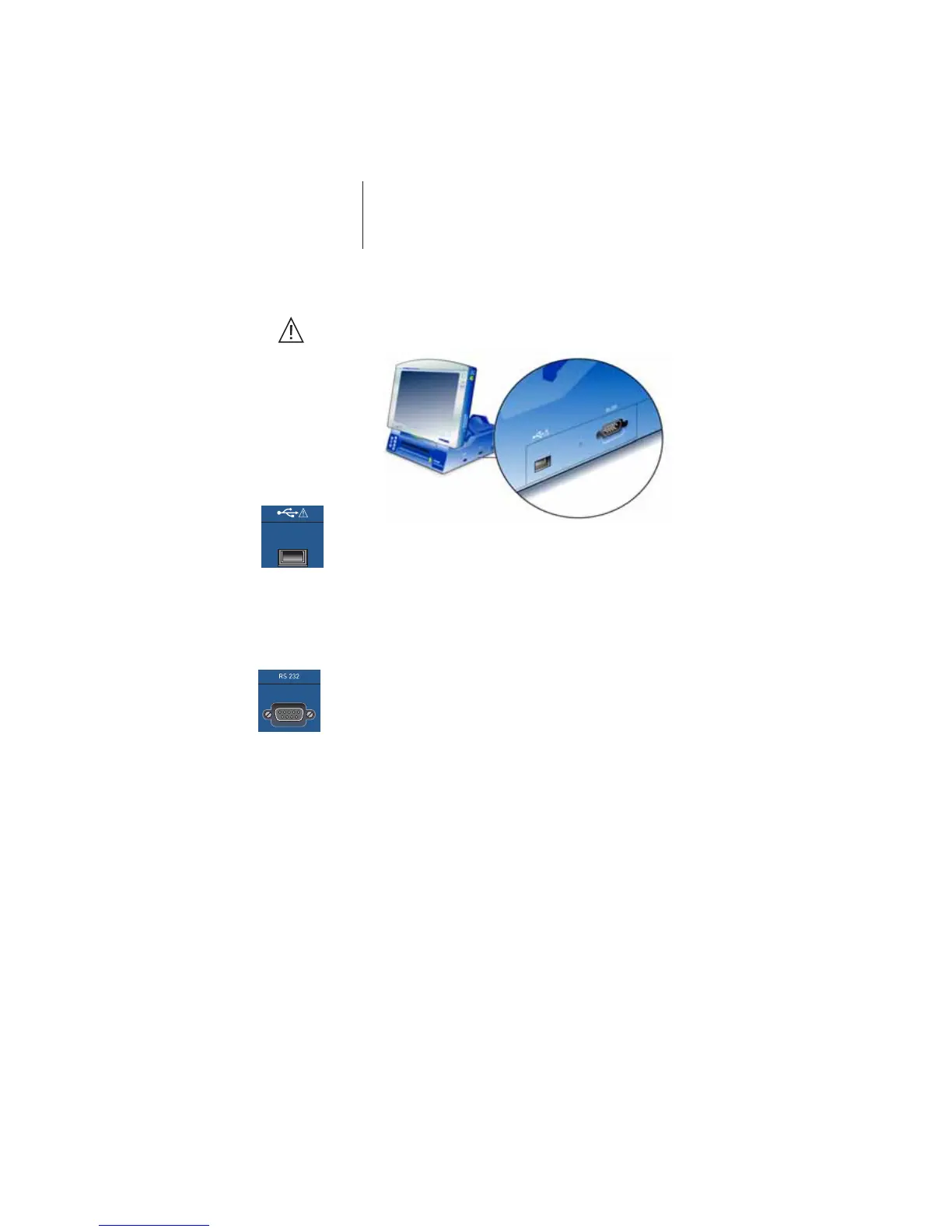
20 Ports on the Docking Station
Ports on the Docking Station
Caution! Never simultaneously touch the patient and connector
components that conduct safety extra-low voltage.
USB Port for USB data stick, mouse or printer – with the
Operation Module connected.
Caution! Connect only devices which do not have their own
power supply; with regard to external printers, you
must comply with the specifications listed on page 26.
Serial port This port can be used, for example, to connect the
BIOTRONIK CDM 3000 Cardiac Data Manager.
• Connect a standard 9-pin RS-232 interface connector.
All the connector pins must be fully assigned and
connected 1:1.
Note: Do not use cables with a metal plug.




 To Next Page