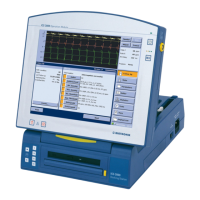
27 ICS 3000 Software
ICS 3000 Software
Software updates are performed by authorized
persons using a CD-ROM.
Installing the CD Technical manuals for the implant programs are
supplied on an additional CD. The CD contains
technical manuals in PDF format for printing and in
HTML format for help.
• Please follow the installation instructions on the CD.
Languages Language settings are found under "More" >
"Preferences" > "Language".
• To apply changes, the system must be restarted using
the "Restart Now" button at the left of the dialog.
Programmer The available functions depend on the individual
implant:
— Identify the implant
— Interrogate the program
— Read out the memory
—Real-time test
— Transmit IEGM and event markers
— Adjust and transmit the program
— Memory functions
ECG Recorder and ECG Monitor
All ECGs can be displayed in real time in recorder or
trigger mode and printed on the internal printer.
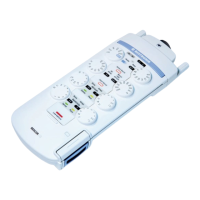
• Record 3-channel ECGs using PK-222; for approved
adhesive and clip electrodes, see page 40.
— Up to 3 leads for the Einthoven ECGs
— Up to 3 IEGMs, depending on the implant
— Event markers (depending on the implant)
• Record esophageal lead with PK-199; for an approved
temporary esophageal lead, see page 40.
Note: Comply with the technical manual for PK-199.




 To Next Page