You have an Apple Airport Extreme™, Airport Express™, or Airport Time Capsule™
• Select the first option in the app that allows you to connect BOX to an existing router.
Afterwards select the I have an Airport option.
• Configure your Apple router to "bridge mode". To do this, you need to use the Airport
Utility application from your Apple device or to download it from the App Store.
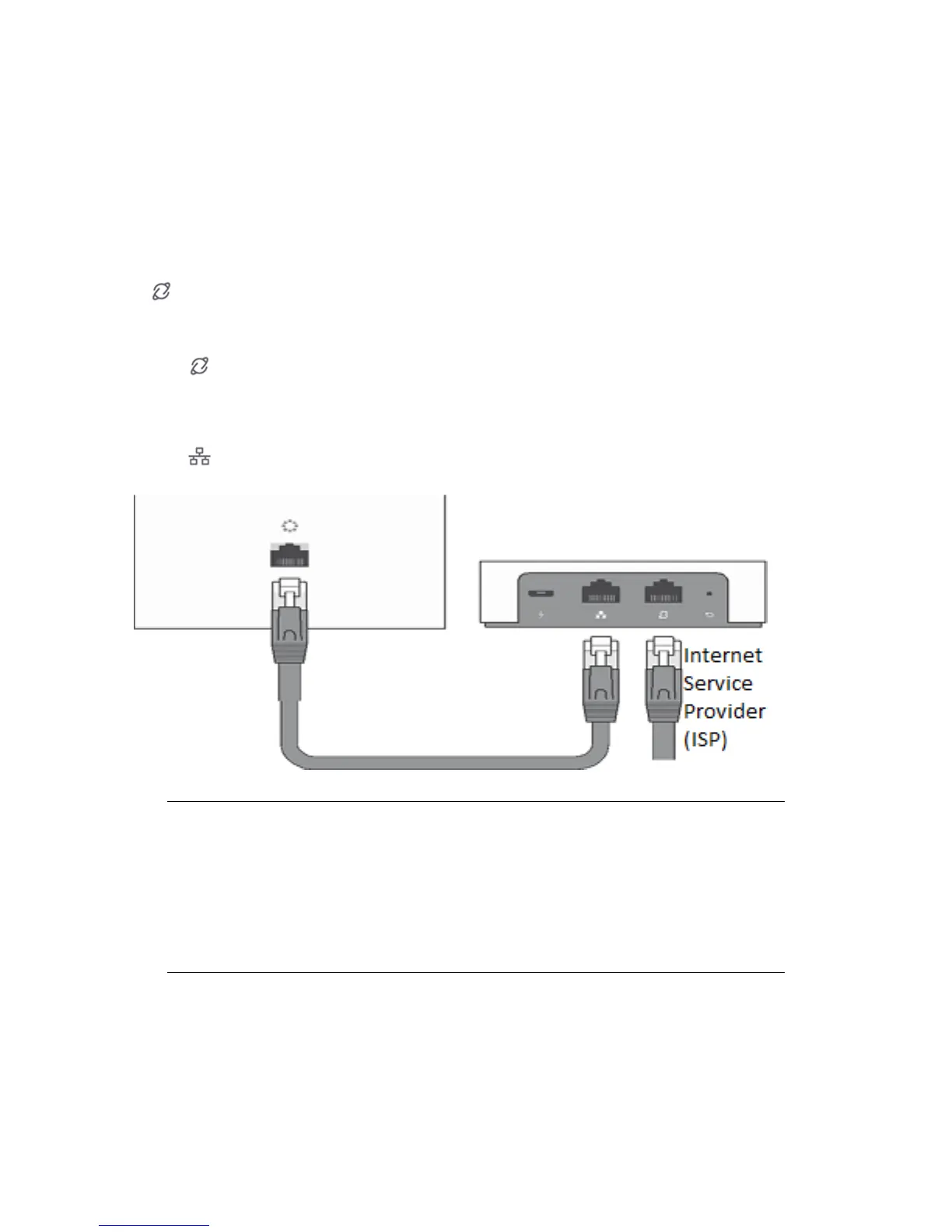
• Remove the Internet cable from the Apple router and insert it in the BOX WAN port
.
If your Internet connection is provided through a modem of any type you need to
remove the cable from the Airport and connect the modem directly to the BOX WAN
port .
• Use the Ethernet cable found in the Bitdefender BOX package and connect BOX LAN
port to the WAN port of your Apple router.
NOTE
In some cases, the ISP can block Internet access to new network devices you
set up. If this is your case, you can provide the MAC address of your Airport
router in the Bitdefender BOX app and BOX will clone this address to avoid
restrictions. You can find the Airport’s MAC address on the back or side of
the device.
You have a gateway (modem-router combo) provided by your ISP
• Some ISPs limit the access to settings for the provided gateway (modem-router
device). In this case, BOX cannot be configured to work alongside the existing router.
8Setting up BOX



 To Next Page