• Contact your ISP to find out if your provided router has the option to disable the LAN
DHCP server option, or access the router web interface and search for this option in
the LAN (local area network) settings.
Continue using the Bitdefender BOX app to finish the setup process.
Tap Start using BOX to start adding devices to your network.
You’re all set! Your devices are now safe and ready to be managed.
2.2.2. Connect BOX directly to the Internet
When Bitdefender BOX is directly connected to the Internet, it acts like your main router
and creates a new secure and protected Wi-Fi network in your home.
You can add additional signal repeaters or access points to provide full coverage for
your home. BOX will be the gateway for these additional devices.
NOTE
This setup scenario is not recommended if you have another router that your
devices connect to. In this case, devices that connect wired or wireless to the
existing router will not be protected by BOX.
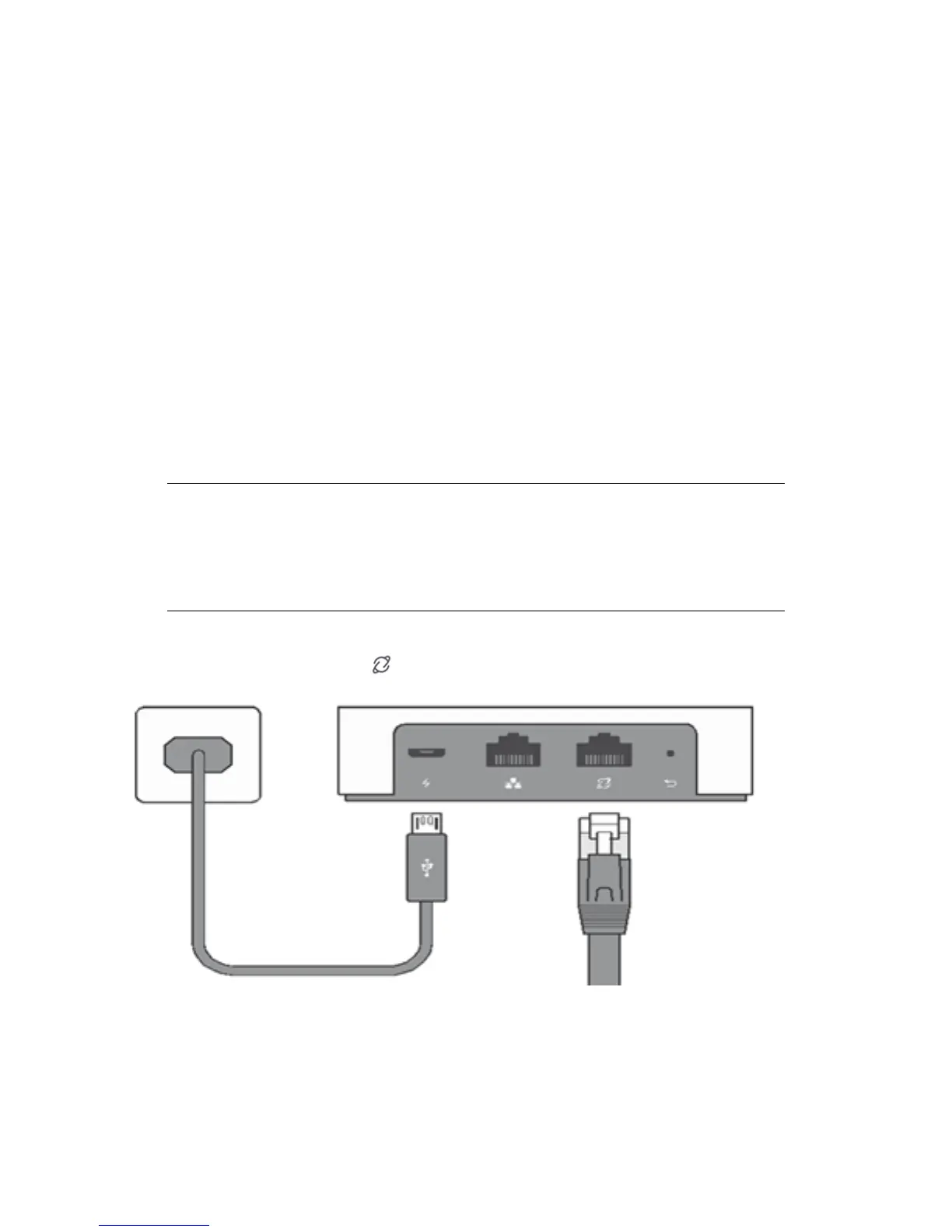
Power on BOX using the AC power adapter, then plug the Internet Service Provider (ISP)
cable into the BOX WAN port .
If your Internet connection is provided through a modem of any type, cable or DSL
modem, you need to connect BOX to it using the Ethernet cable from the BOX package.
9Setting up BOX



 To Next Page