IC5100 Manual
15/60
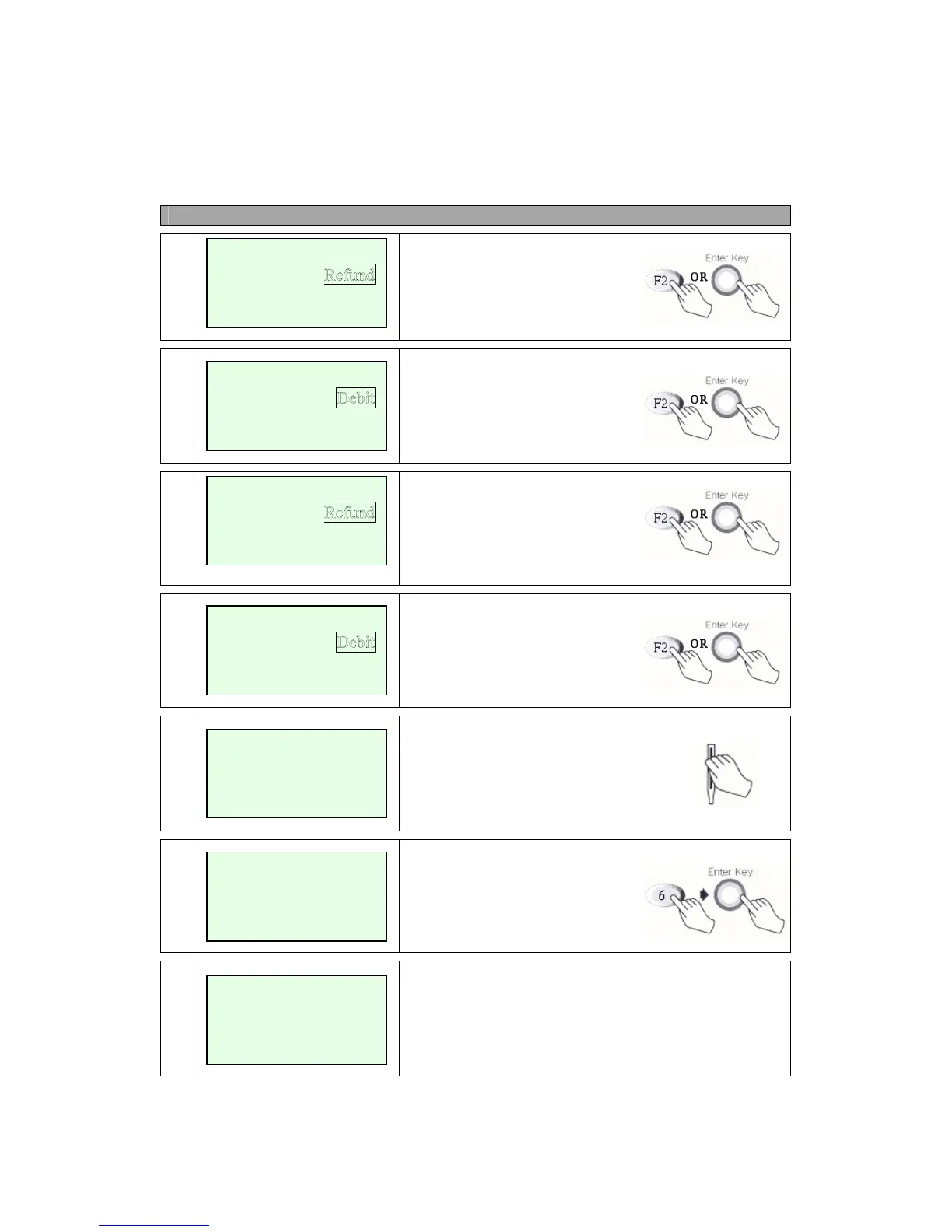
Refund Debit Card MENU
# Terminal Screen Descriptions for Key Operation and Summary
A
1
Press F2 or Enter key to
begin Refund transaction.
A
2
Press F2 for Debit Refund or
Press Enter key.
B
1
Press F2 or Enter key to
begin Refund transaction.
B
2
Press F2 for Debit Refund or
Press Enter key.
3
Swipe Card.
4
Amount is enter.
Press Enter key.
5
Display on PINPad. Display ‘Waiting for PIN’ on
terminal screen when external PINPad is used.
Credit
EBT
<- ->
Sale
Void
<- -> Off-line Sale
Swipe Card
Enter Amount
$00.00
Amount $00.00
Waiting for PIN
Sale
Void
<- -> Ticket Onl
y
Credit
<- ->


 To Next Page