IC5100 Manual
40/60
IC5100(EMV approval) / New Transaction
# Terminal Screen Descriptions for Key Operation and Summary
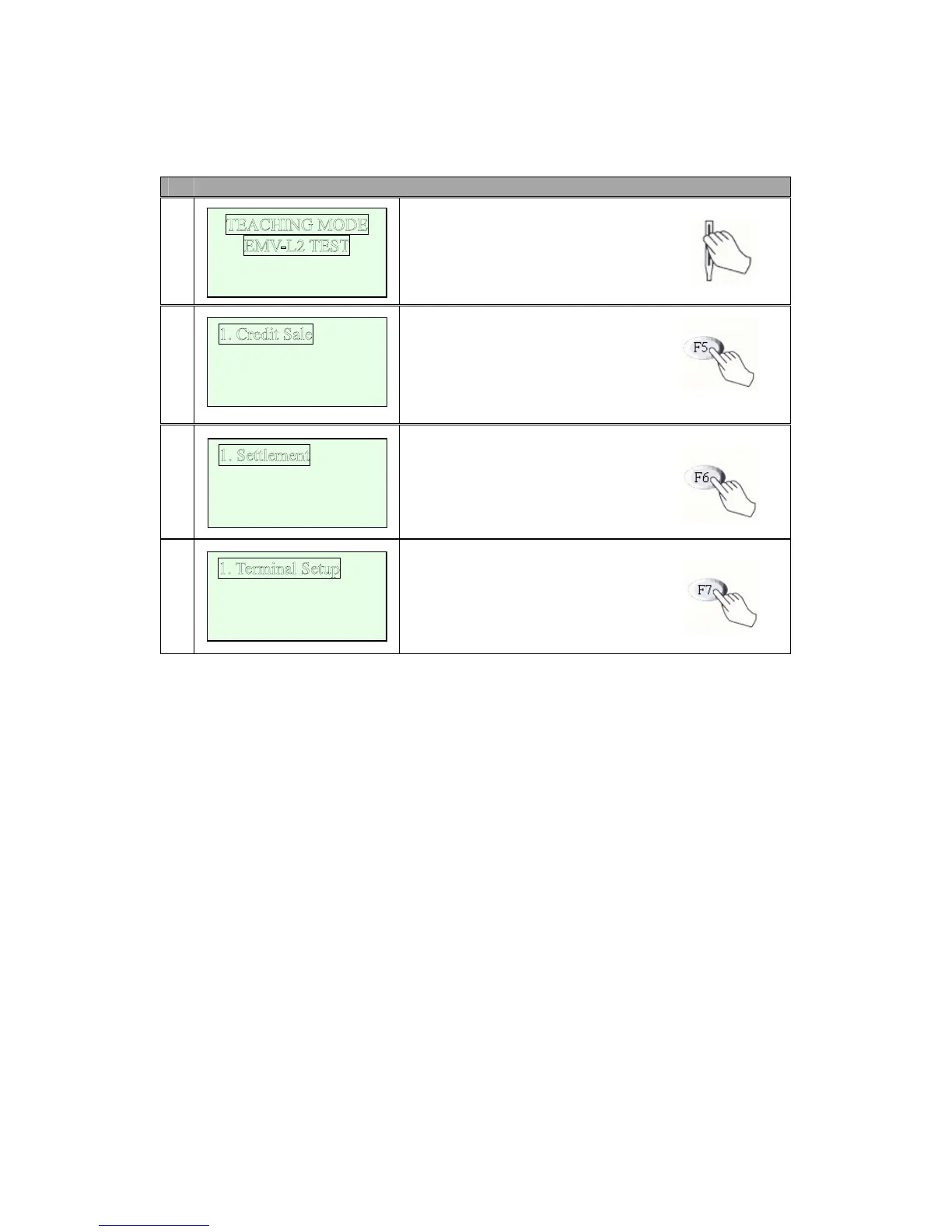
1
Swipe Your Card.
Or Key Input(0-9).
F5 (step2), F6 (step3), F7(step4)
F1, F2, F3, F4 key select Menu.
2
Transaction Menu.
(Credit, Balance, Cash, Refund,
Void)
3
Settlement Menu.
(View, Print and Logon Function)
4
Setup and Test Menu.
(Terminal Setup and Basic Test)
2. Balance Inq.
3. Cash Advance.
4. Next Pa
ge
2. View Trans.
3. Print Totals
4. Lo
gon Terminal
2. Contrast SET
3. Change PIN
4. Basic TEST
Oct 14, 03[10:55]
SWIPE YOUR CARD


 To Next Page