Rev. 2.00
- 7 -
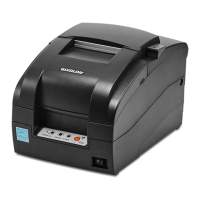
SRP-275 Ver.2
■ Table of Contents
1. Setting Up the Printer·······································································································8
1-1 Unpacking ···················································································································8
1-2 Choosing a place for the printer ··················································································8
1-3 Using the operation panel ···························································································9
2. Connecting the cables ···································································································10
2-1 Connecting the AC Adaptor·······················································································10
2-2 Connecting the Interface cable and Drawer kick-out cable ·······································10
2-2-1 Serial Interface (RS-232C)············································································11
2-2-2 Parallel Interface (IEEE1284)········································································12
2-2-3 USB Interface································································································13
2-2-4 Ethernet Interface ·························································································13
2-2-5 Drawer kick-out ·····························································································13
3. Setting the Switches ······································································································14
3-1 Setting the DIP Switch ······························································································14
3-1-1 DIP Switch setting for Citizen(iDP 3550) mode·············································15
3-1-2 DIP Switch setting for Star(SP500) mode ·····················································16
3-1-3 Changing the DIP Switch setting···································································17
3-2 Setting the Memory Switches····················································································18
3-2-1 Memory Switch setting for Star mode ···························································22
4. Ribbon Cassette Installation ··························································································28
5. Roll Paper Installation····································································································29
6. Changing the paper width ······························································································30
7. Installing the wall mount (Option)···················································································31
8. Self Test ·························································································································32
9. Hexadecimal Dumping···································································································33
10. Specification·················································································································34
10-1 Printing specification ·······························································································34
10-2 Paper specifications ································································································34
10-3 Ribbon cassette specification··················································································34
10-4 Electrical characteristics··························································································35
10-5 Reliability·················································································································35
10-6 Environment conditions···························································································35
10-7 Dimensions & weight·······························································································36
10-8 Optional features·····································································································36
11. Appendix - Troubleshooting··························································································37
11-1 ERROR LED blinking pattern ··················································································37
11-2 The printer does not start printing············································································38
11-3 The printer stops printing·························································································39
11-4 You want to check the operation of the printer by itself ···········································39
11-5 Printing is poor ········································································································39


 To Next Page
 Loading...