724-746-5500 | blackbox.com
Page 18
AVX-HDMI-WI
Chapter 3: Windows Client Utility
3.5 Audio Projection
Step 1: If you are using WIndows
®
XP, before starting audio projection, install the “VAC.exe” (Virtual Audio Control) on your
computer. You can find the software in the USB Token. (Windows Vista
®
and Win7 don’t need to install VAC.)
Step 2: Select the ”Normal” option for “Projection Quality.”
You should then hear the audio from the device when projecting.
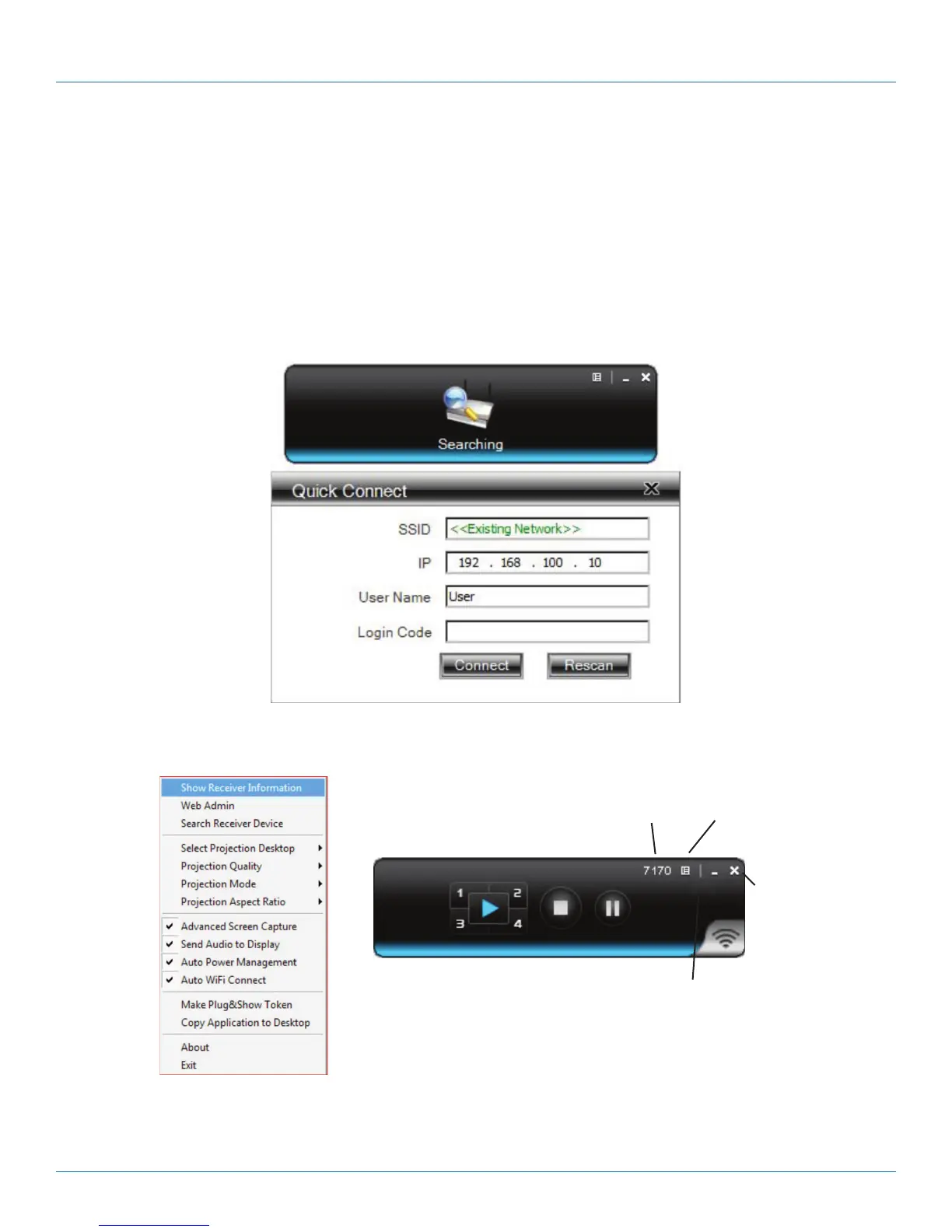
3.6 Quick Connect
The WHPS client can save the information from its last connection, including IP address and AP SSID. The next time you execute
the WHPS utility, this information is displayed so you can connect to the WHPS quickly. Or, click “Rescan” to search for all
available devices to connect.
Figure 3-7. Search for available devices.
3.7 Menu Description
Login code
Menu
Exit
Minimize
Figure 3-8. Drop-down menu.


 To Next Page