724-746-5500 | blackbox.com
Page 30
AVX-HDMI-WI
Chapter 5: Web Management
5.4 Login Web Admin
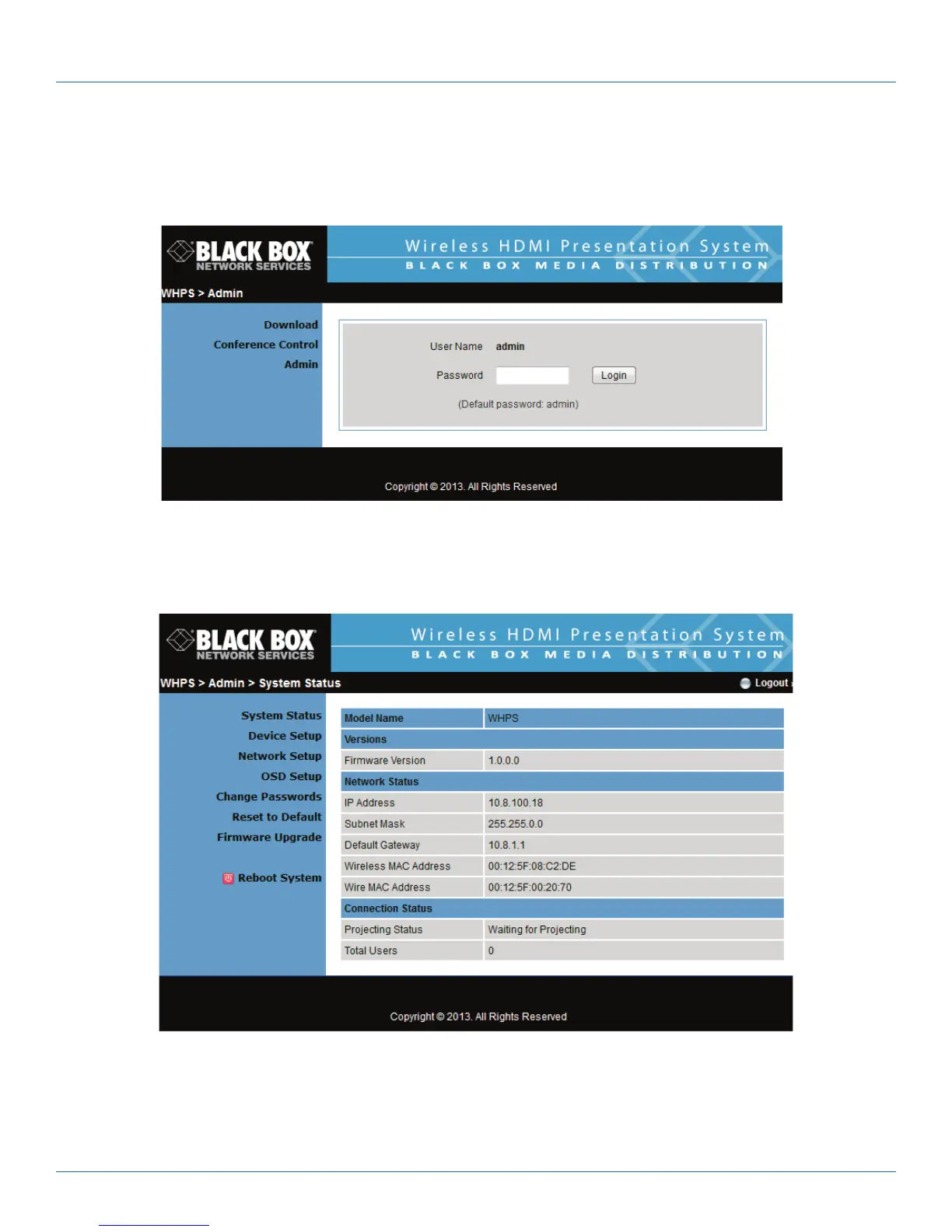
1. Click “Admin” and then enter the password to login to the Web page.
2. The password default value is “admin.”
Figure 5-5. Enter password screen.
5.4.1 System Status
Click “System Status,” and the screen shows the current system status.
Figure 5-6. Current system status screen.


 To Next Page