724-746-5500 | blackbox.com
Page 19
AVX-HDMI-WI
Chapter 3: Windows Client Utility
3.7.1 Show Receiver Information
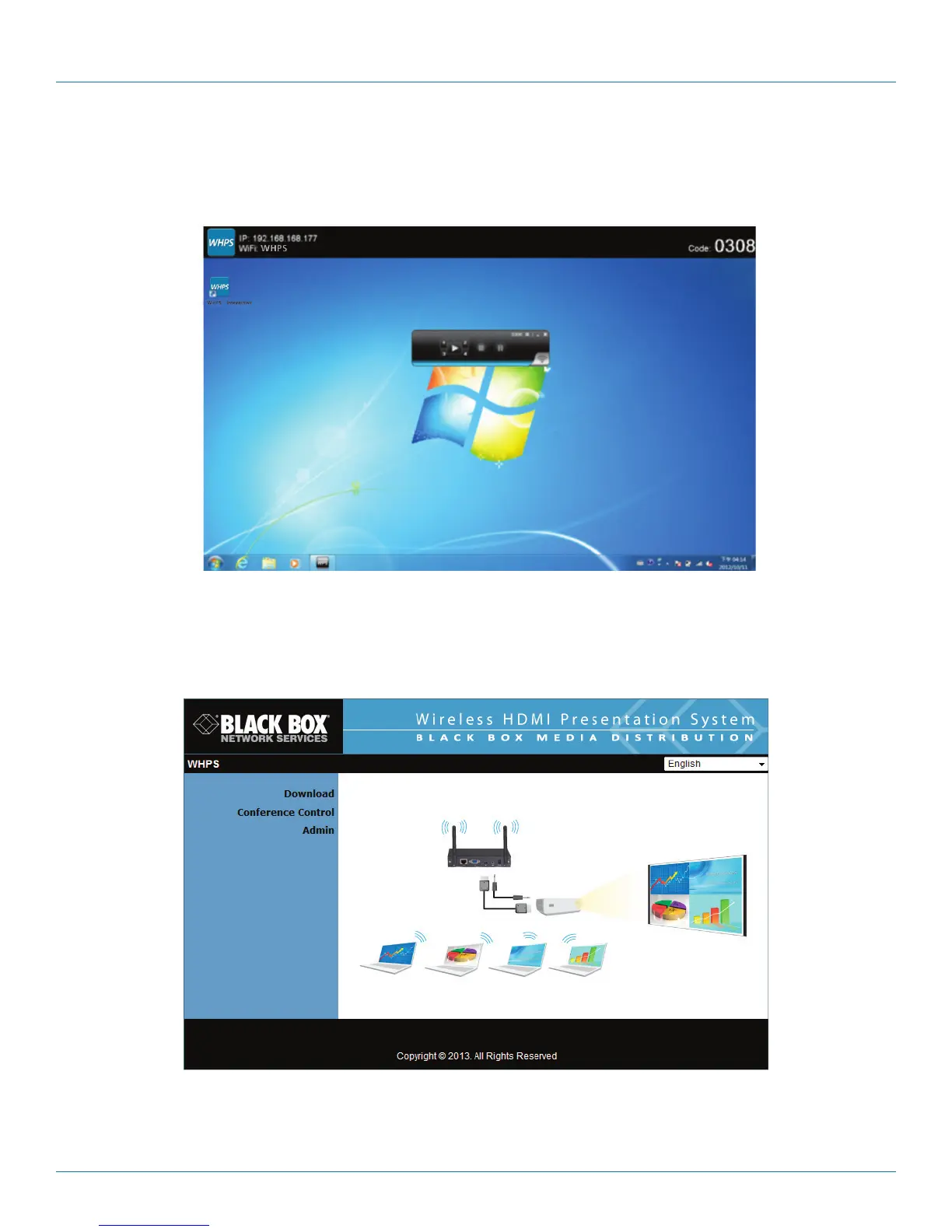
Click “Show Receiver Information” in the drop-down menu. The Receiver Information, such as Wi-Fi name, IP address, and code
will appear on the display. This window will close automatically after 30 seconds.
Figure 3-9. Show Receiver Information screen.
3.7.2 Web Admin
Click “Web Admin” in the drop-down menu, and the browser will open and connect to the receiver Web admin page
automatically. (You can find the details of the Web admin page in Chapter 5.)
Figure 3-10. Web Admin screen.


 To Next Page