724-746-5500 | blackbox.com
Page 24
AVX-HDMI-WI
Chapter 4: Mac Client Utility
4. Mac Client Utility
4.1 Launch Application
Step 1: Enable your Wi-Fi and connect to the WHPS device.
Step 2: Execute WHPS client software for Mac.
Step 3: Launch WHPS software and enter the login code.
Step 4: Start projection.
4.2 Main User Interface
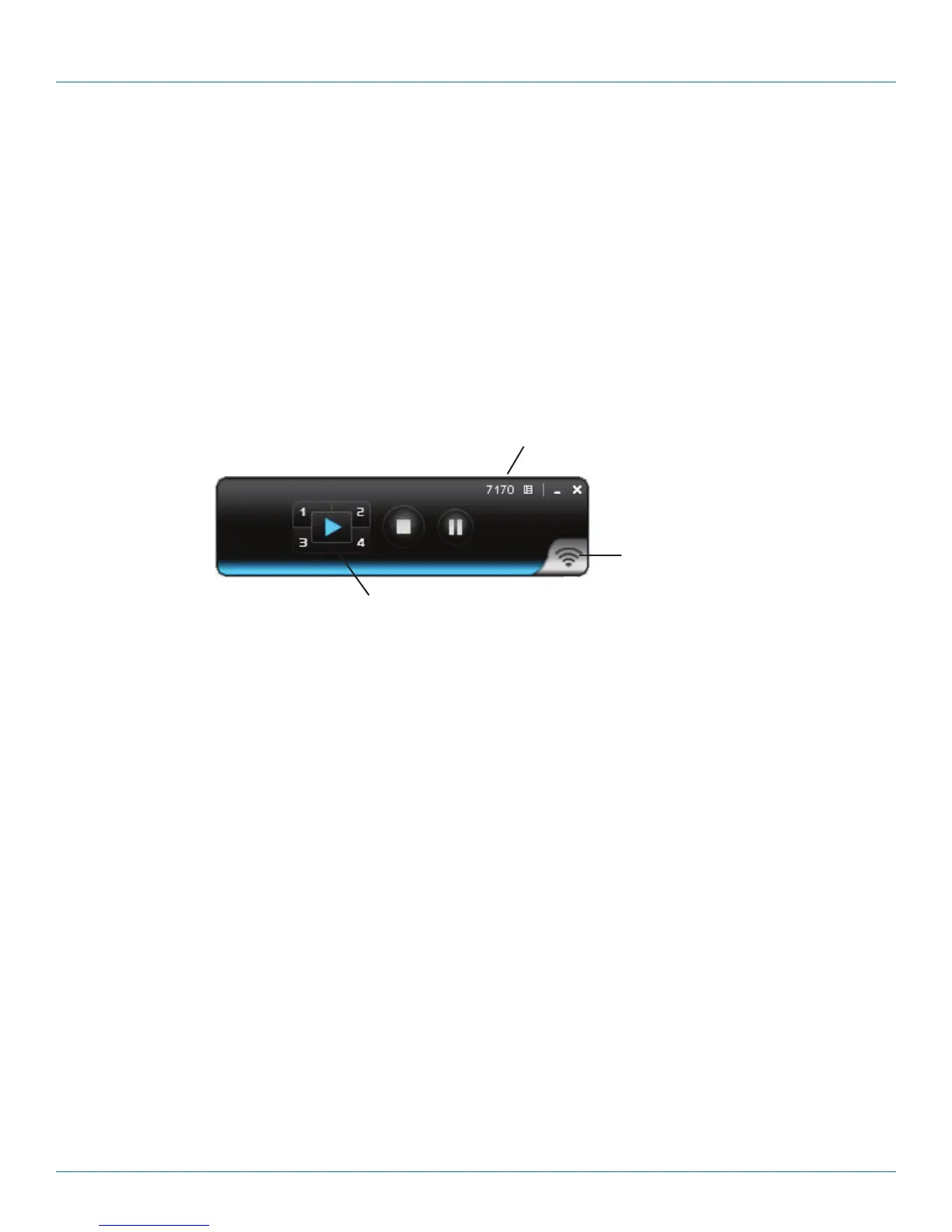
Figure 4-4 shows the main user interface.
Menu area
Status indicator
Control area for screen projection feature
Figure 4-1. Main user interface.


 To Next Page