724-746-5500 | blackbox.com
Page 7
AVX-HDMI-WI
Quick Start Guide
Quick Start Guide
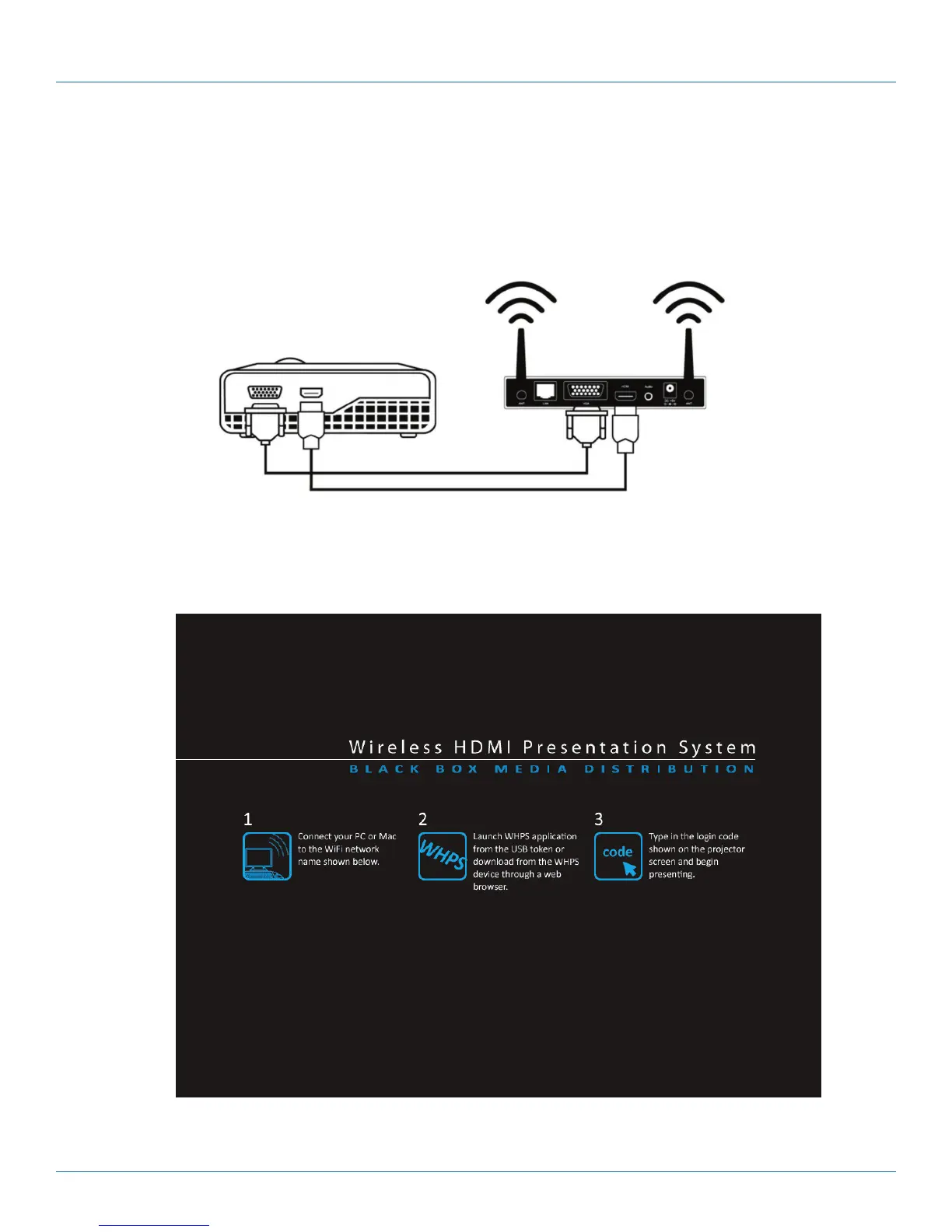
Step 1: Connect the projector VGA/HDMI cable to the Wireless HDMI Presentation System (WHPS) box VGA/HDMI connector
and turn on the projector’s power.
Figure QS-1.
Step 2: Turn on the WHPS box. When the projector shows the default menu on the screen as shown below. The WHPS box is
ready.
Figure QS-2. Default menu.
LOGIN CODE: 4316
Server IP: 192.168.10 0.10 SSID: WHPS
Resolution: 1280x720 Channel: 9
Version: 1.0.0.0 Security: OFF


 To Next Page