724-746-5500 | blackbox.com
Page 29
AVX-HDMI-WI
Chapter 5: Web Management
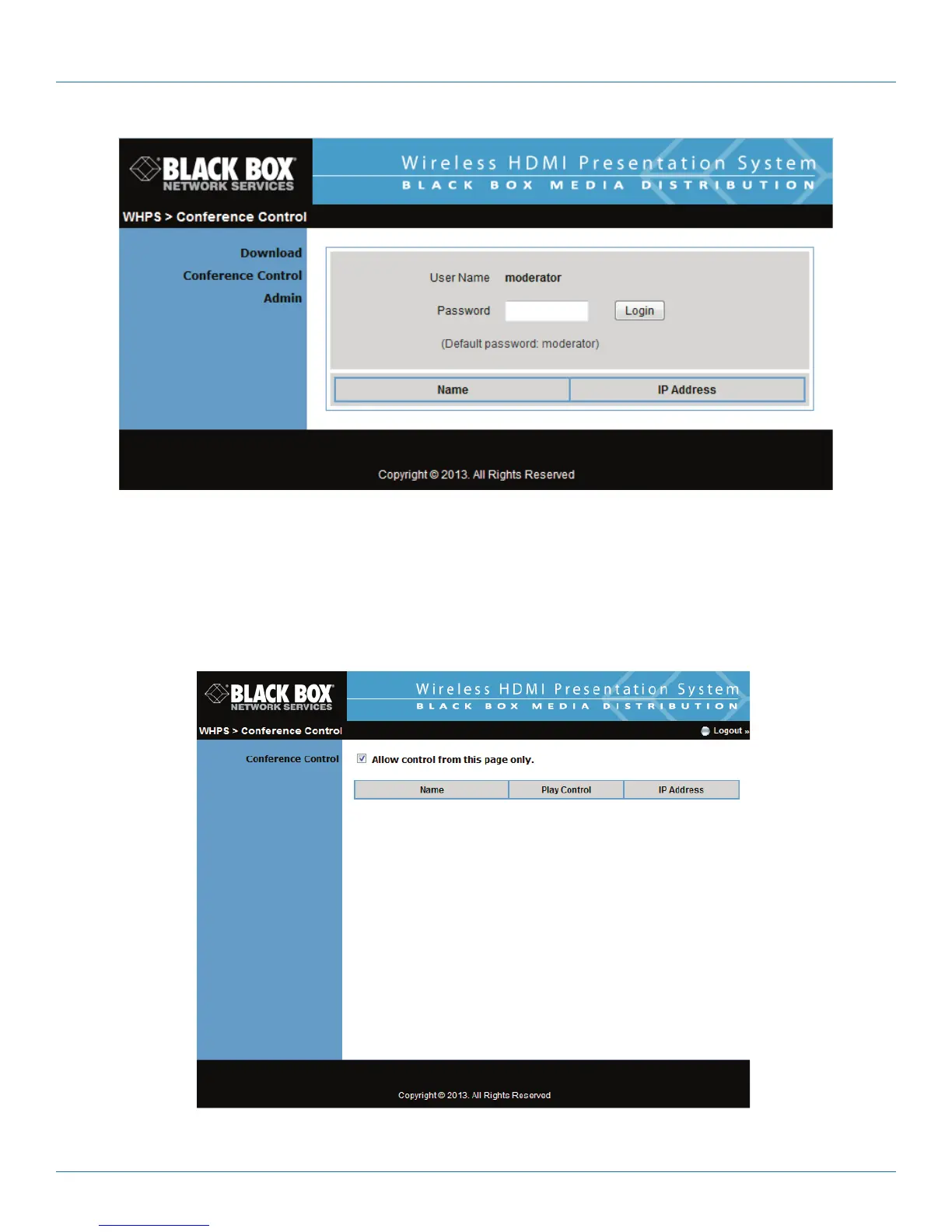
Figure 5-3. Enter password screen.
4. After login, you can see a User List on the screen that indicates all of the users connected to the WHPS box.
5. There are three columns: “Computer Name,” “Play Control,” and “IP Address.”
6. Play Control: There are six buttons, including Play (Full), Play Split #1, Play Split #2, Play Split #3, Play Split #4, and Stop.
7. User List.
Figure 5-4. Play control page.


 To Next Page