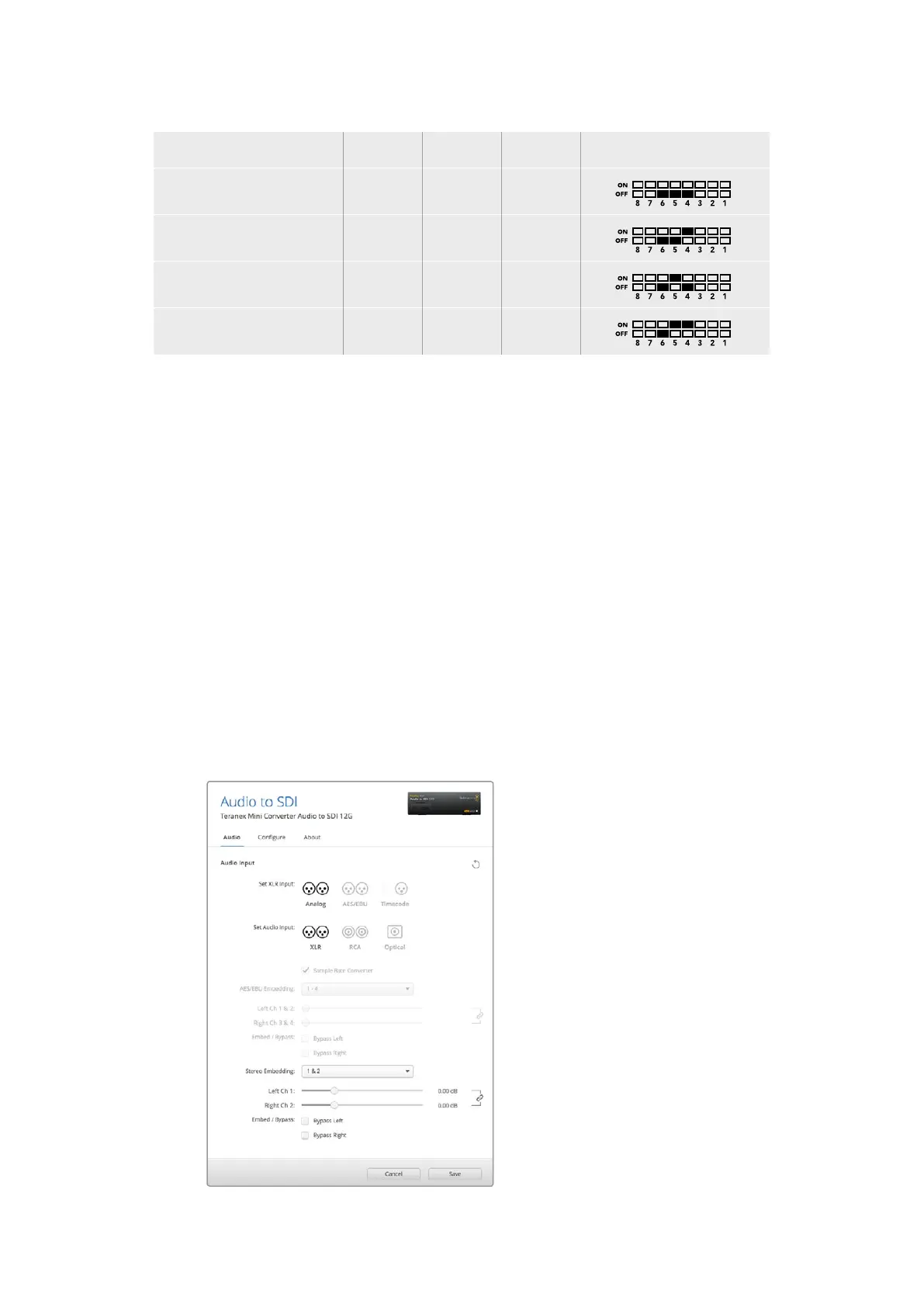
AES/EBU Audio Channels Switch 6 Switch 5 Switch 4 Switch Diagram
1-4 OFF OFF OFF
5-8 OFF OFF ON
9-12 OFF ON OFF
13-16 OFF ON ON
Blackmagic Teranex Setup Settings
The Teranex setup utility can change all the same settings that are available using the switches,
plus additional settings.You can access these settings by moving between the ‘audio,’
‘configure,’ and ‘about’ tabs in Blackmagic Teranex Setup. The ‘about’ and ‘configure’ tabs are
detailed in the ‘changing settings’ section in this manual.
The ‘audio’ tab for Teranex Mini Audio to SDI 12G contains the following settings.
Audio Input Menu
This menu allows you to select between RCA, XLR, and optical inputs.
If you have selected XLR, you can further select between analog, AES/EBU, and
timecode inputs.
Selecting AES/EBU allows the additional option of checking ‘sample rate conversion.’ When this
is selected, the sample rate of your SDI audio output will be forced to 48kHz, the correct
sample rate for television.
The audio input menu also allows you to chose which channel pair, or channel quad in the case
of AES/EBU audio, of your SDI signal you wish to embed audio into, as well as adjusting the
audio gain.
Adjust your analog audio levels and AES/EBU levels using the
‘audio’ settings page in Blackmagic Teranex Setup.
52Teranex Mini – Audio to SDI 12G











 To Next Page