4 Power
Standard built in IEC C14 connector for 90 - 240 volt AC power supply.
5 HDMI Out
HDMI video output.
6 Ethernet PoE+
Connects to a network switch or computer so you can change settings using the
Teranex setup utility. The Ethernet port also supports power over Ethernet plus.
7 SDI In
SDI video input BNC connector.
8 Optical Input and Output
Optical video input and output LC connectors via optional SMPTE compatible SDI
optical fiber module. The optical input automatically detects between SD/HD/6G/12G-
SDI. The optical output can be used as a loop through output.
9 L – Analog or AES/EBU
Balanced left channel analog audio, or digital AES/EBU audio output XLR connector.
10 R- Analog, AES/EBU or Timecode
Balanced right channel analog audio, or digital AES/EBU audio output XLR connector.
Can also be configured for timecode output.
Switches
Teranex Mini - Optical to HDMI 12G’s switches provide the following settings:
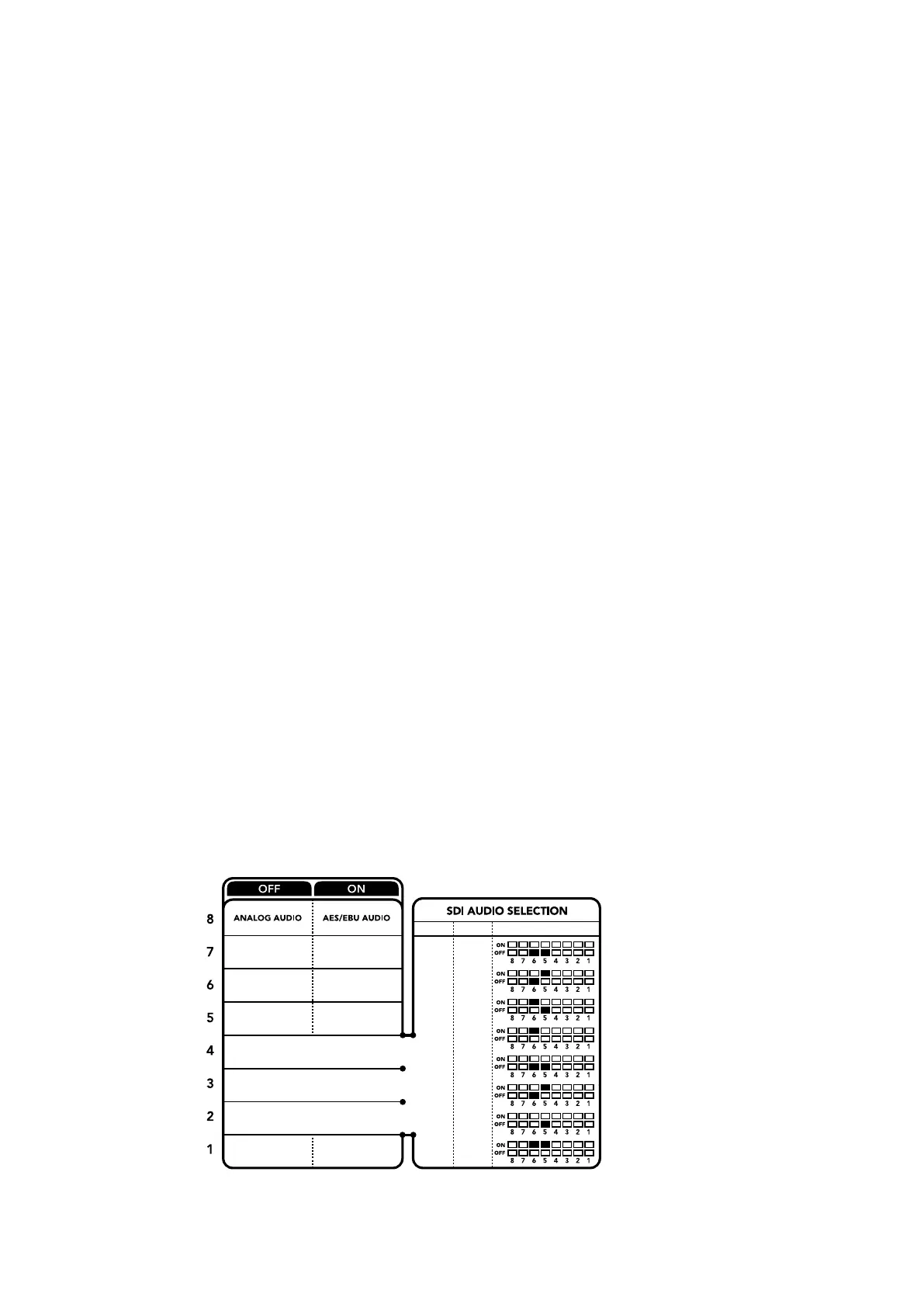
Switches 8 - Analog Audio, AES/EBU Audio
Set switch 8 to ‘off’ to output balanced analog audio. Set to ‘on’ for digital AES/EBU audio.
Switches 7 - Output Audio/Timecode
Set switch 7 to ‘on’ to output timecode via the R channel audio XLR connector. Set to ‘off to’
output audio.
Switches 4, 3, 2 - SDI Audio De-Embed Bit 2, 1, 0
Switches 4, 3 and 2 are represented as bits 2, 1, and 0 respectively. This simply means that by
setting various on/off combinations for switches 4, 3, and 2, you can choose which pair of audio
channels from your SDI or Optical input you would like to output to HDMI, analog or AES/
EBU audio.
OUTPUT AUDIO TIMECODE
1-2
3-4
1-4
5-8
9-12
13-16
5-6
7-8
SWITCHES
9-10
11-12
13-14
15-16
ANALOGAES/EBU
SDI AUDIO DE-EMBED BIT 0
SDI AUDIO DE-EMBED BIT 1
SDI AUDIO DE-EMBED BIT 2
The switch legend on the base of your converter gives you all the
information you need to change conversion settings.
65Teranex Mini – Optical to HDMI 12G











 To Next Page