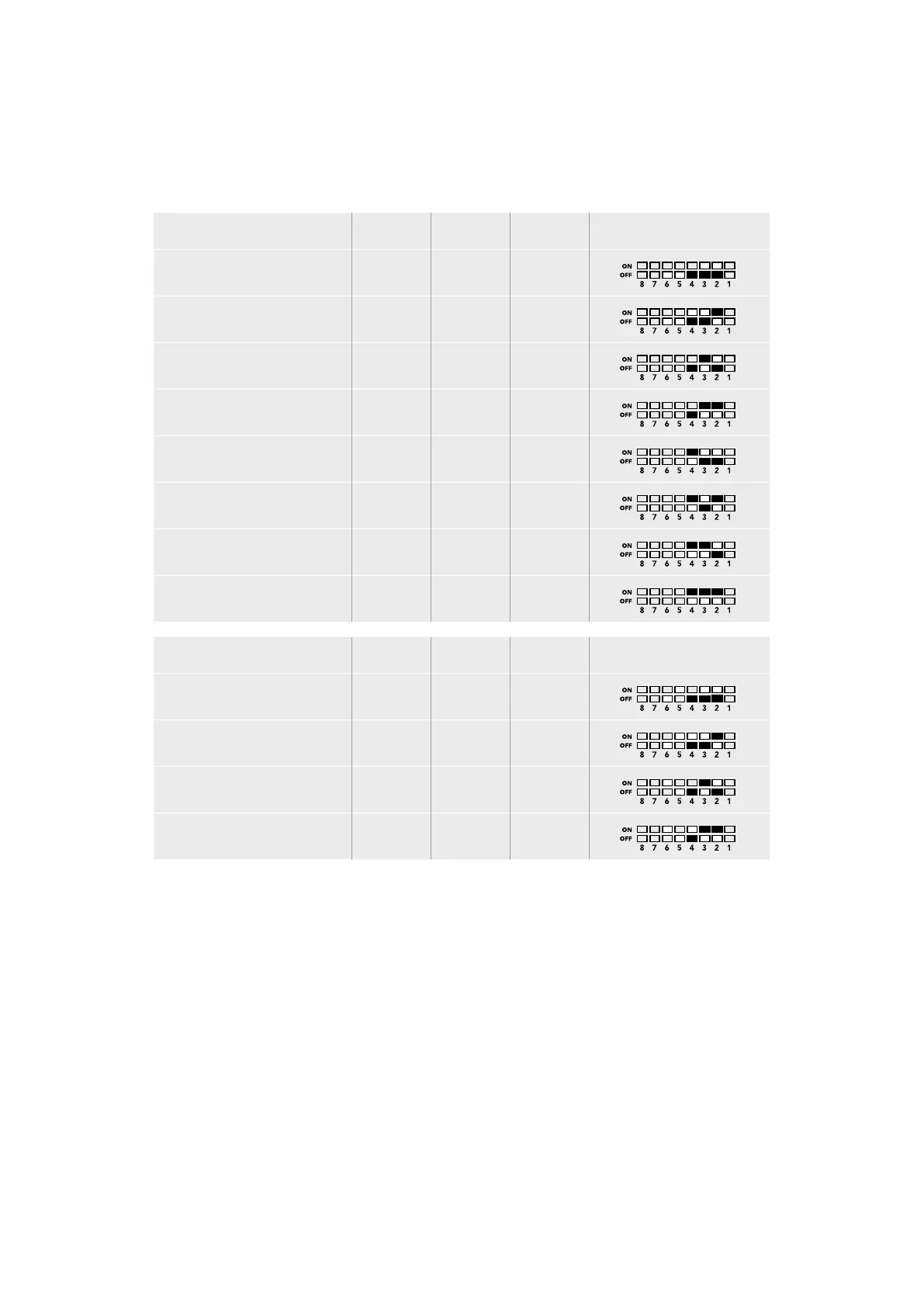
SDI Audio Selection Table
By using the following combinations of switch settings, you can select which SDI audio channels
to output as analog or digital AES/EBU audio with your Teranex Mini - Optical to Analog 12G.
Analog Audio Channels Switch 4 Switch 3 Switch 2 Switch Diagram
1 and 2 OFF OFF OFF
3 and 4 OFF OFF ON
5 and 6 OFF ON OFF
7 and 8 OFF ON ON
9 and 10 ON OFF OFF
11 and 12 ON OFF ON
13 and 14 ON ON OFF
15 and 16 ON ON ON
AES/EBU Audio Channels Switch 4 Switch 3 Switch 2 Switch Diagram
1-4 OFF OFF OFF
5-8 OFF OFF ON
9-12 OFF ON OFF
13-16 OFF ON ON
Blackmagic Teranex Setup Settings
The Teranex setup utility can change all the same settings that are available using the switches,
plus additional settings.
You can access these settings by moving between the ‘video,’ ‘audio,’ ‘configure,’ and
‘about’ tabs.
The ‘about’ and ‘configure’ tabs are detailed in the ‘changing settings’ section in this manual.
The ‘video’ tab for Teranex Mini - Optical to Analog 12G contains the following settings.
Video Output Menu
This lets you pick between component, or s-video and composite video output as well as
setting the luminance and chroma levels, and the B-Y and R-Y component levels independently.
77Teranex Mini – Optical to Analog 12G











 To Next Page