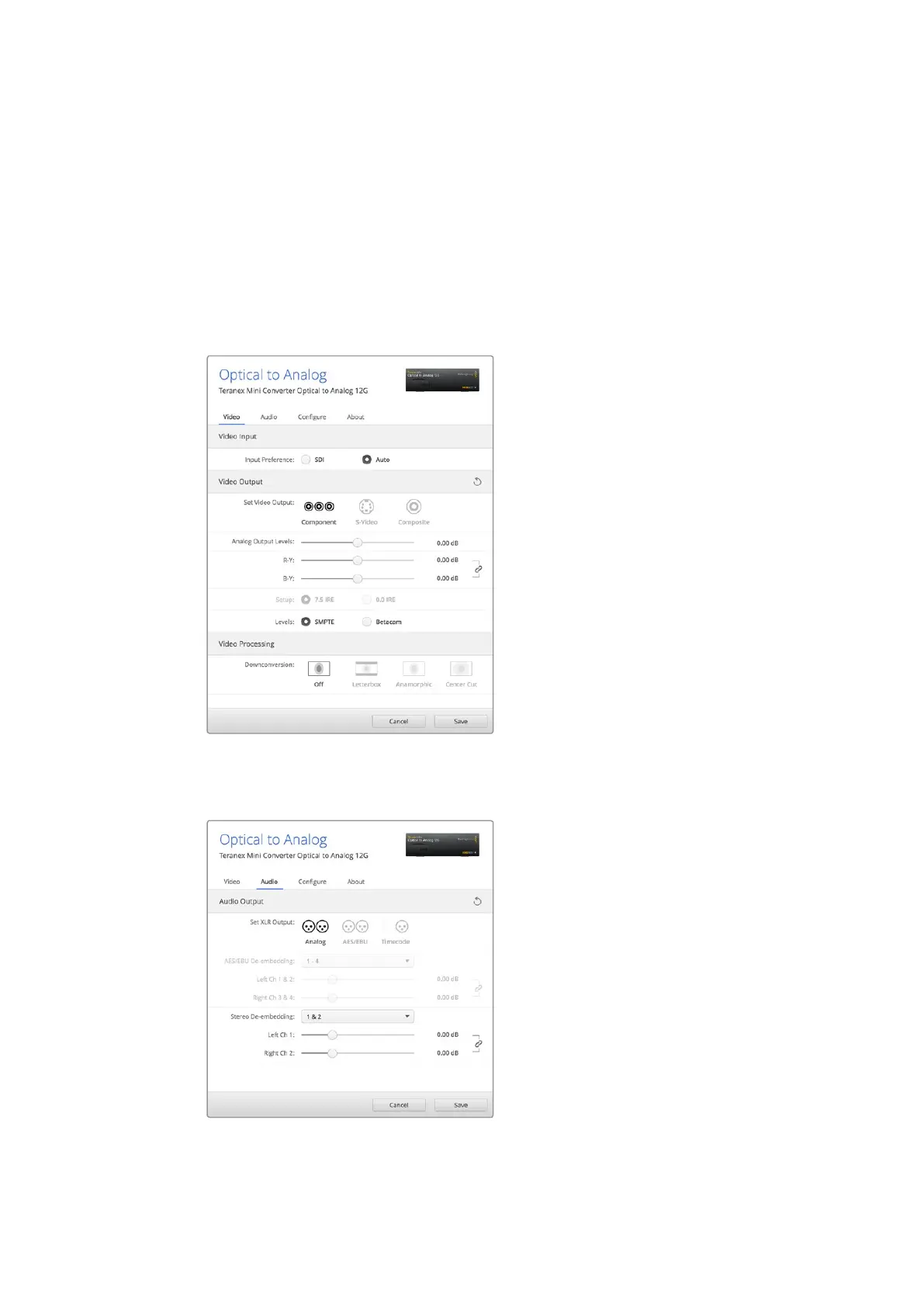
If you have selected s-video and composite output, you can additionally choose between 7.5
IRE and 0.0 IRE black levels, depending on the region you are working in. If you have selected
component video, you can switch between SMPTE and Betacam levels. SMPTE levels are more
common and even Betacam SP decks can use SMPTE levels, so only switch this to Betacam if
you are sure that Betacam levels are being used.
Video Processing Menu
This menu allows you to set the aspect ratio of down converted video. The options are
letterbox, anamorphic, center cut or no processing.
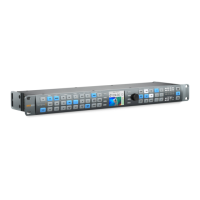
The ‘audio’ tab for Teranex Mini - Optical to Analog 12G contains the following settings.
Adjust your video luminance and chroma levels
and component chroma levels using the ‘video’
settings page in Blackmagic Teranex Setup.
Adjust your analog audio levels and AES/
EBU levels using the ‘audio’ settings page.
78Teranex Mini – Optical to Analog 12G











 To Next Page