32
Video Playing
LCD Menu02 : Video Playing
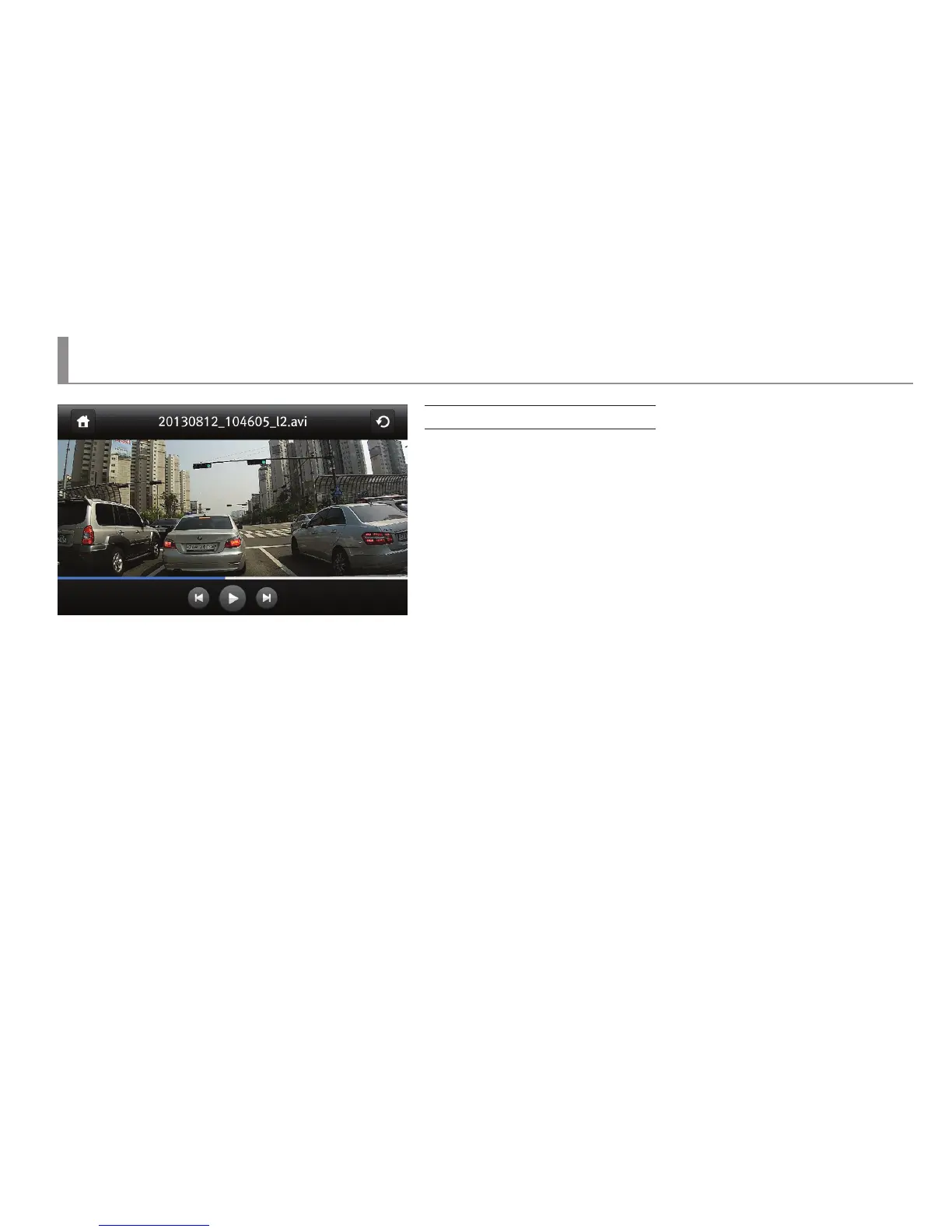
Player Screen
▶ Screen to be shown upon selecting the recorded le name at the video player screen.
▶ Upon starting of the playing, the player screen image would be shown
and then disappear after 3 seconds. After disappearing of the playing screen image,
if a LCD screen is touched, the player screen image would appear again.
▶ On the upper side of the player screen, a name of a le which is currently being played
would be shown, and a control button would appear on the bottom.
▶ Player control buttons are composed of the previous button, the play button (stop)
and the next button.
▶ Upon the completion of playing of a current recorded le, the player would play the next le automatically.
▶ If the previous button/next button is clicked during playing, the playing would be stopped immediately and the previous/next le would be played.
If the play button is clicked during playing, the playing would stop and if the playing button is clicked once again, it would resume.
▶ When a LCD screen is touched while the playing is paused, the touched area would get either Zoom In/Zoom Out.
▶ Upon playing of a 2-channel recorded le, a PIP button would be generated and a video recorded by a rear camera would be shown as PIP
on the upper right side. Upon playing of 2 channels, a PIP button would appear on the lower left of a player image, and upon clicking of a PIP button,
the front/rear screen would be switched in the following order. “PIP” → ”Front” → ”Rear ”



 To Next Page