EasyManua.ls Logo

BlackSys CL-100B - Configuration

Default Icon
56 pages
Print Icon
To Next Page IconTo Next Page
To Previous Page IconTo Previous Page
Loading...
48
Conguration
PC Viewer instructions
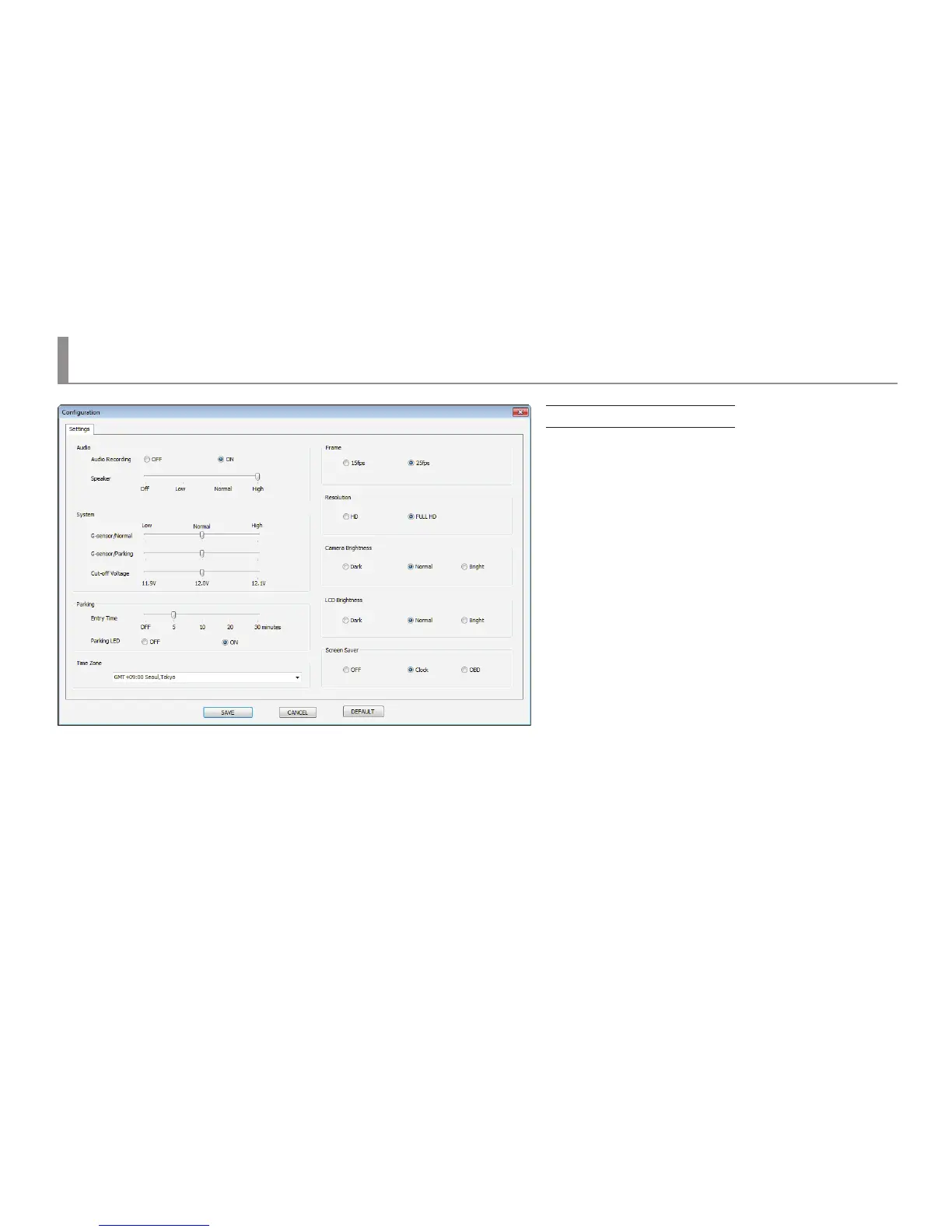
Conguration
Voice recording
Speaker
Normal shock sensitivity
Parking shock intensity
Cut-o voltage Setup
Entry time
Parking LED
Time zone
Frame Setup
Resolution Setup
Camera brightness Setup
LCD brightness Setup
Screen saver
Save
Default value
: OFF / ON
: O / Low / Normal / High
: Low-Normal-High
: Low-Normal-High
: 11.9V / 12.0V / 12.1V
: OFF / 5min / 10minmin / 20min / 30min
: OFF / ON
: GPS Time zone set up
: 15 / 25 fps
: HD / Full HD
: Dark / Normal / Bright
: OFF / Clock / OBD
: Save Setup le to SD card
: Return to default
Applying Setting : Save the conguration PC Viewer -> Put SD card into CL-100B -> Reboot the device.