29
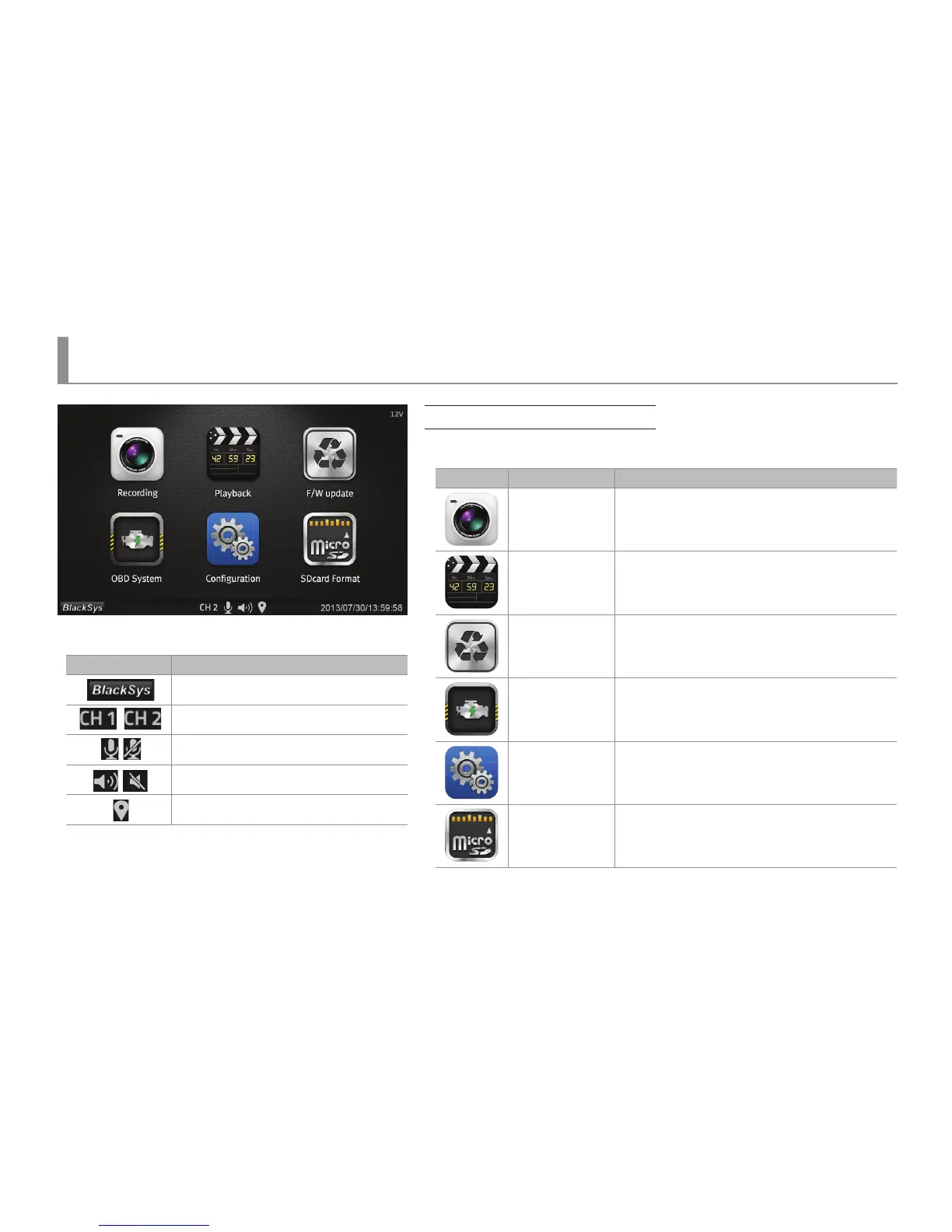
LCD main menu
LCD Menu - Main Menu
Main Menu
▶ Main Menu Screen is composed as the following.
Icon Name Function
Video recording Move to a screen for video recording.
Video playing
Move to a list of which recorded videos can be
played.
Upgrade
Pop-up screen inquiring the rmware update status
would be displayed.
OBD
Move to a menu screen of which OBD information
could be checked.
Conguration
Move to a menu for the initialization of time,
system, display, sound and screen saver.
SD card format
Pop-up screen inquiring whether a SD card is
formatted or not.
▶ Indicator
Icon Fuction
System information pop-up display
1 channel (Front), 2 channel (Front +Rear)
Voice Recording, Stop Voice Recording
Voice Instruction, Mute the Voice Instruction
GPS



 To Next Page