42
Screen Saver
LCD Menu05 : Conguration - Screen Saver
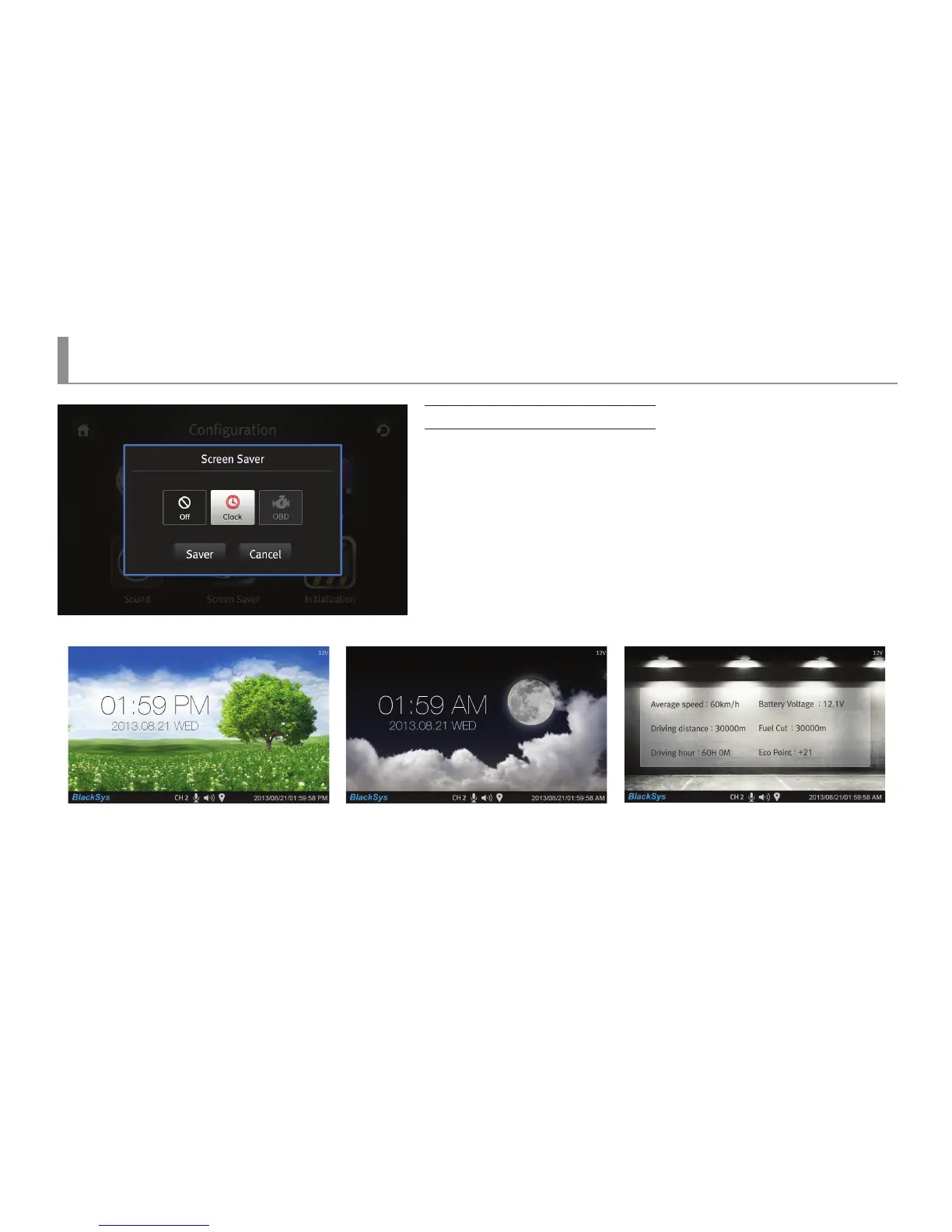
Screen Saver setup
▶ As for a setup menu, there are O/Clock/OBD.
▶ If “O” is selected, LCD would be turned o automatically to lower the vehicle
battery consumption.
▶ If a Clock is selected, a screen saver image would be changed automatically
in corresponding with time .
※ From 6 am to 5:59.59 pm, an image of green grass would be shown.
From 6 pm to 5:59:59 am, an image of moon would be shown.
※ OBD information display screen saver can be selected only when an OBD terminal,
an optional device, is purchased



 To Next Page