11
EN
Transmitter and Receiver Binding
BNF Transmitter Setup
If you are using a computer transmitter, set the model type to “Acro” or
“Airplane” mode. In the channel input menu, set channel 6 (Aux1) to
a momentary switch such as the bind button ( I) and channel 5 (Gear)
to a 3-position switch (switch B). In the Servo Setup menu, reverse
channel 6 (Aux1). Bind the quadcopter to your transmitter following the
Transmitter and Receiver Binding directions below.
General Binding Procedure (BNF
®
)
1. Disconnect the ight battery from the quadcopter.
2. Set the model type in your transmitter settings to “Acro” mode.
3. Center all trims on your transmitter.
4. Power off the transmitter and fully lower the throttle.
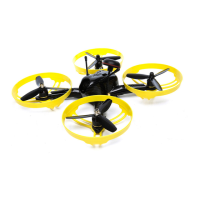
5. Connect the ight battery in the quadcopter. Aircraft LED’s will begin
ashing slowly, turn aircraft upside down until LED ash rapidly
indicating the Inductrix is in bind mode.
6. Put the transmitter into bind mode while powering on the transmitter.
7. Release the bind button/switch after 2–3 seconds. The quadcopter
is bound when all of the LEDs on the aircraft turn solid.
8. Disconnect the ight battery and power the transmitter off.


 To Next Page