HOW TO USE YOUR LOWER OVEN
18
•
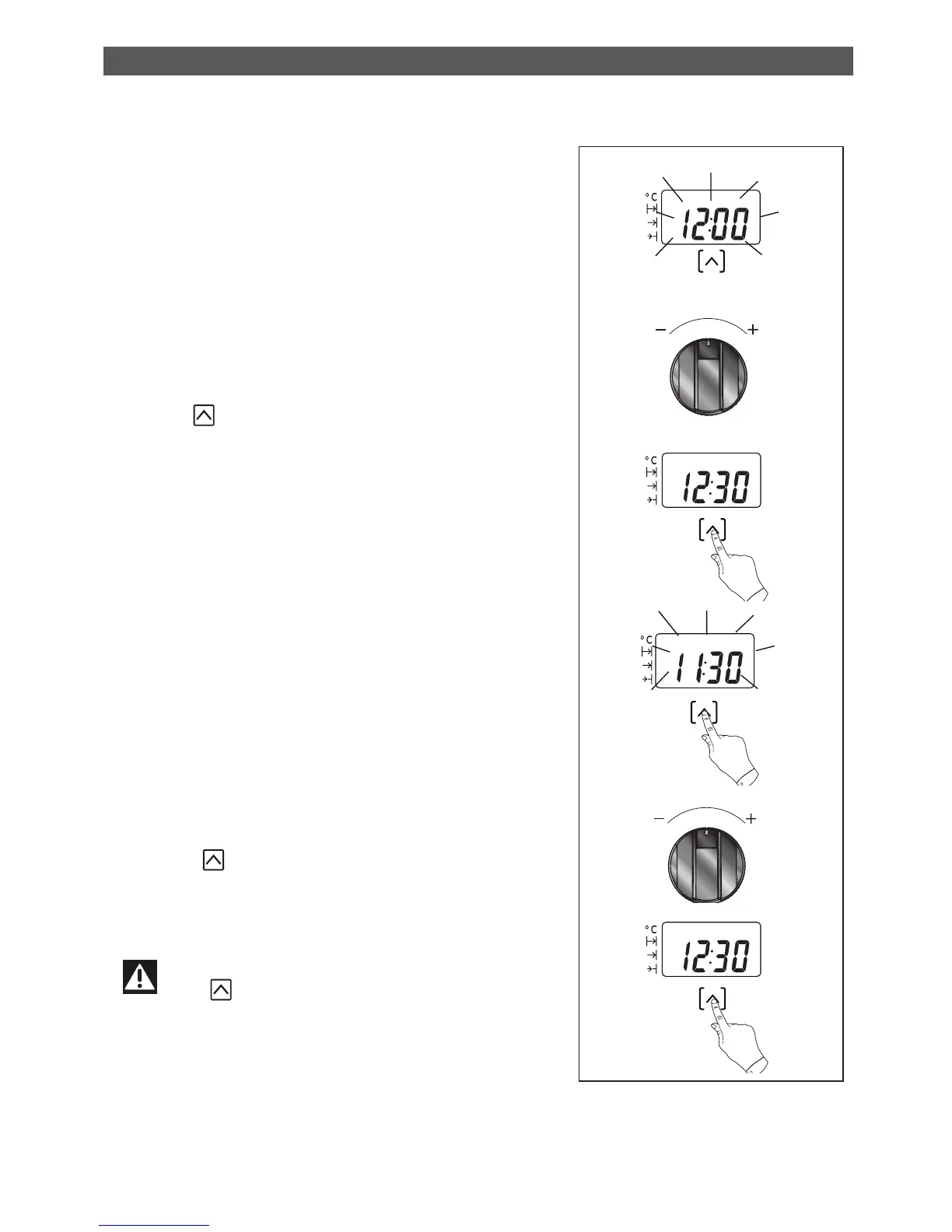
How to set the time
- When plugged in, the displays flashes 12:00.
Set the time using the + and - setting seletor
(holding down the + or - allows you obtain a
rapid advancement of the numbers).
Press the touch control to confirm.
Example: 12:30
•
Resetting the clock time
Continue to press until the time is displayed,
then release.
Adjust the clock setting with the + and -
setting seletor.
Press the touch control to confirm.
Warning
If the touch control is not pressed,
the setting will be automatically recorded
after a few seconds.
HOW TO SET THE CLOCK
•


 To Next Page