EasyManua.ls Logo

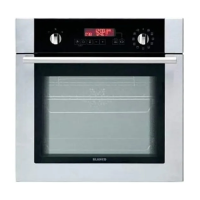
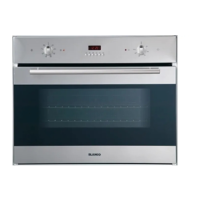
Blanco BOSE696XCOM - User Manual

Blanco BOSE696XCOM
20 pages
Print Icon
To Next Page IconTo Next Page
Loading...
INSTRUCTION MANUAL FOR
BUILT-IN OVEN
BOSE696XCOM

Questions and Answers

  • E
    Erin EllisAug 4, 2025
    Why Blanco Oven does not heat up?
    • K
      Kathleen RamirezAug 4, 2025
      If your Blanco Oven isn't heating up, it could be due to a couple of reasons. First, verify that the oven temperature control knob is set correctly. Second, ensure that the oven door is properly shut, as an open door will prevent the oven from reaching the desired temperature.
  • D
    Debra MartinezAug 10, 2025
    Why Blanco BOSE696XCOM Oven does not switch on?
    • K
      Karen CarrollAug 10, 2025
      If your Blanco Oven isn't switching on, the issue might be related to the power supply. Check whether there is power supplied to the oven. You can also check if other kitchen appliances are working to confirm the power supply.
  • S
    sharpstephanieAug 16, 2025
    How to fix uneven cooking in Blanco BOSE696XCOM Oven?
    • A
      Anna WoodwardAug 16, 2025
      Uneven cooking in your Blanco Oven can often be attributed to a couple of factors. Start by checking that you're using the recommended temperatures and shelf positions. Also, avoid opening the oven door frequently, unless you are cooking things that need to be turned, as this can lower the interior temperature and affect your cooking results.
  • A
    anthonykingAug 21, 2025
    What to do if my Blanco BOSE696XCOM light does not operate?
    • B
      Bridget PinedaAug 22, 2025
      If the oven light in your Blanco Oven isn't working, there are a couple of things you can check. First, the lamp may have failed and needs replacing according to the instructions. Second, make sure the electrical supply is turned on at the wall socket outlet.
  • L
    lutzleeAug 28, 2025
    How to reduce noise from the Blanco BOSE696XCOM fan?
    • S
      Shawn HunterAug 28, 2025
      If the oven fan in your Blanco Oven is noisy, it could be due to vibrating oven shelves. Check that the oven is level. Also, ensure that the shelves and any bakeware are not vibrating or in contact with the oven back panel.

Summary

Safety Information

Appliance Details

Control Panel Overview

Overview of the oven's control panel, including knobs and timer.

Installation Instructions

Installation under a Workshop

Details and dimensions for installing the oven in a workshop or under a countertop.

Installation in a Wall Unit

Instructions and diagrams for installing the oven within a wall unit.

Electrical Connection and Safety

Guidance on safe electrical connections and required safety precautions.

Operating Instructions

Control Knobs and Functions

Explanation of control knobs and various oven cooking functions.

Digital Timer Operations

Guide to operating the digital timer, adjusting time, and using the key lock feature.

Timed Cooking Programs

Instructions for setting audible warnings and various timed cooking programs.

Sound Adjustment

How to adjust the volume of audible warning sounds.

Accessories

Oven Racks and Trays

Details on wire grids and shallow trays for cooking and grilling.

Water Collector

Information on the water collector for managing condensation.

Cleaning and Maintenance

Oven Cleaning Procedures

Procedures for cleaning the oven's interior, glass door, and stainless steel parts.

Door and Lamp Maintenance

Steps for removing the oven door, inner glass, and replacing the oven lamp.

Troubleshooting

Warranty Information

Blanco BOSE696XCOM Specifications

General IconGeneral
TimerYes
Control TypeRotary
Door TypeTriple Glazed
Dimensions (HxWxD)595 x 595 x 575 mm
ColourStainless Steel
Oven TypeBuilt-in

Related product manuals