7
Operating Instructions
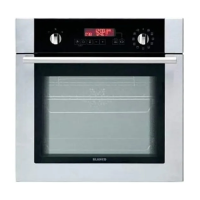
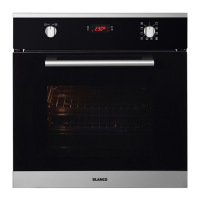
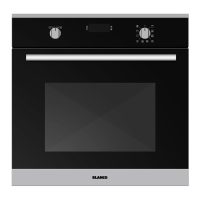
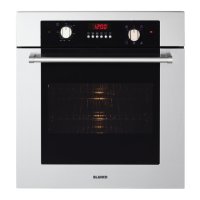
Oven function Control Knob
Turn the knob to the corresponding symbol of the desired cooking function. For the details of different
functions see ´Oven Functions`.
Oven Thermostat Knob
After selecting a cooking function, turn this knob to set the desired temperature. The oven thermostat light
will illuminate whenever the thermostat is in operation to heat up the oven or maintain the temperature
Oven Functions
Full Grill and Fan Assist Function
The oven’s thermostat and temperature lights will switch on, and the grill heating element and fan
will start operating. This function is ideal for grilling thicker food. Use the upper shelves of oven,
lightly brush the wire grid with oil to stop food sticking and place food in the centre of the grid.
Always place a tray beneath the food to catch any drips of oil or fat.
Warning: When grilling, the oven door must be closed and the oven temperature
should be adjusted to 190°C.
Grill Function
The oven’s thermostat and temperature lights will switch on, and the grill heating element will start
operating. This function is used for grilling and toasting foods on the upper shelves of the oven.
Lightly brush the wire grid with oil to stop food sticking and place food in the centre of the grid.
Always place a tray beneath the food to catch any drips of oil or fat. It is recommended that you
preheat the oven for about 10 minutes.
Warning: When grilling, the oven door must be closed and the oven temperature
should be adjusted to 190°C.
Fan Forced Function
The oven’s thermostat and temperature lights will switch on, and the ring heating element and fan
will start operating. The fan forced function evenly disperses the heat in the oven so all food on all
racks will cook evenly. It is recommended that you preheat the oven for about 10 minutes.
Defrost Function
The oven’s temperature lights will switch on and the fan will start to operate. To use the defrost
function, place your frozen food in the oven on a shelf in the third slot from the bottom. It is
recommended that you place an oven tray under the defrosting food to catch the water
accumulated due to melting ice. This function will not cook or bake your food; it will only help to
defrost it.
Conventional Function
The oven’s thermostat and warning lights will switch on, and the lower and upper heating elements
will start operating. The conventional function emits heat, ensuring even cooking of food. This is
ideal for making pastries, cakes, baked pasta, lasagna and pizza. Preheating the oven for 10
minutes is recommended and it is best to use only one shelf at a time in this function.
Conventional and Fan Assist Function
The oven’s thermostat and temperature lights will switch on, and the upper and lower heating
elements and fan will start operating. This function is good for baking pastry. Cooking is carried out
by the lower and upper heating elements within the oven and by the fan, which provides air
circulation, giving a slightly grilled effect to the food. It is recommended that you preheat the oven
for about 10 minutes.



 To Next Page