10
Operating Instructions
Semi-automatic Time Adjustment (finishing time)
This function automatically starts the oven so that cooking will finish at a set time. You can set an end time of
up to 10 hours after the current time of day. Prepare the food for cooking and put it in the oven.
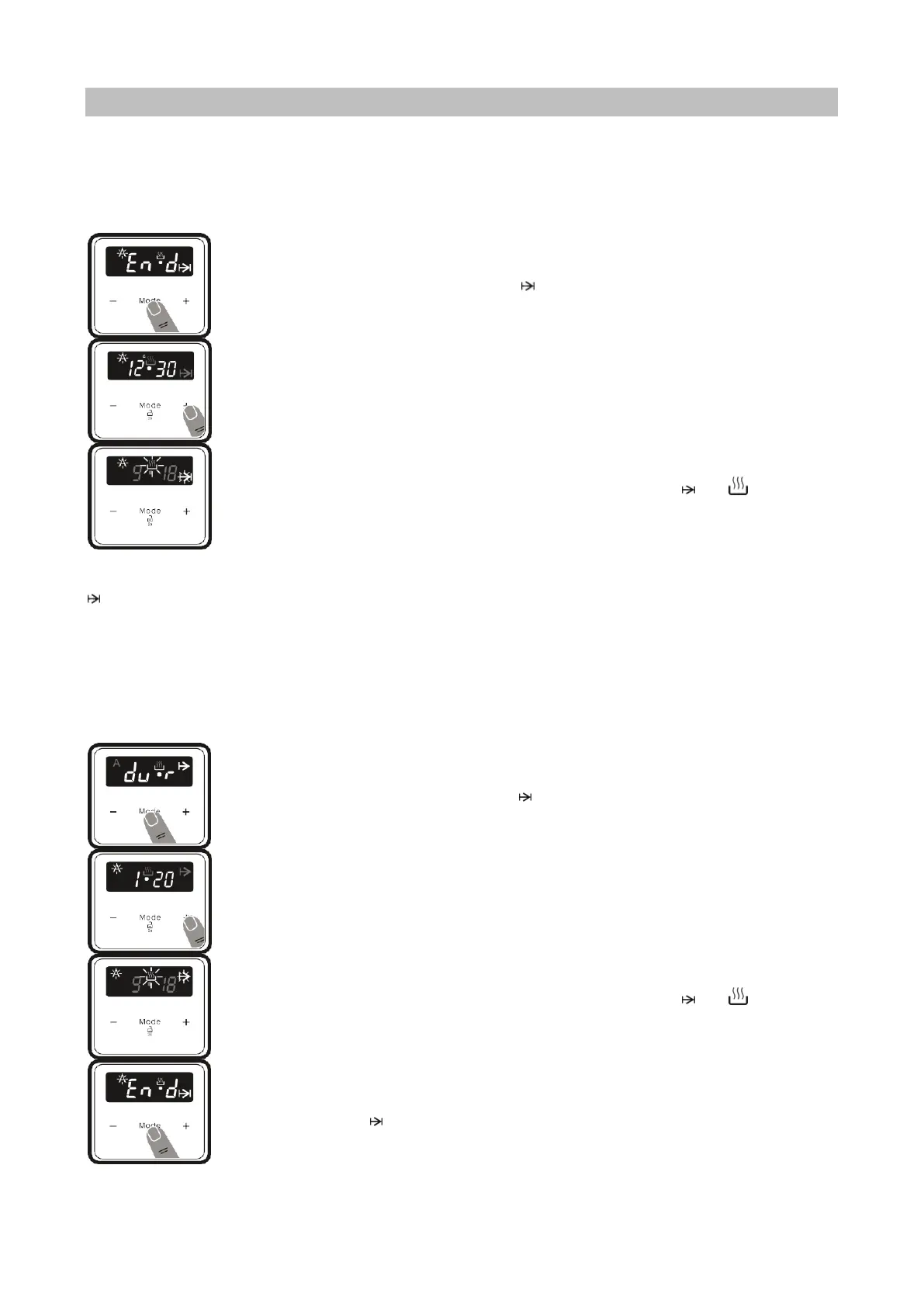
1. Select the desired cooking function and the temperature using the control knobs.
2. Press “MODE” until you see “end” and symbol on the display screen. “A” and the
current time of day will flash.
3. Use the “+” and “-” buttons to set the desired finishing time.
4. The current time will reappear on the screen, the symbols “A”, and will remain
illuminated.
When the timer reaches zero, the oven will switch off and an audible warning will sound. The symbol “A” and
will flash. Turn both control knobs to the “0” position and press any key on the timer to stop the sound. The
symbol will disappear and the timer will switch back to manual function.
Full-automatic Programming
This function is used to start cooking after a certain period of time and for a certain duration. A time of up to
10 hours after the current time of day can be set. Prepare the food for cooking and put it in the oven.
1. Select the desired cooking function and the temperature using the control knobs.
2. Press “MODE” until you see “dur” and symbol on the screen. The symbol “A” will
flash.
3. Select the desired cooking time period using the “+” and “-” keys.
4. The current time will reappear on the screen, the symbols “A”, and will remain
illuminated.
5. Press “MODE” until you see “end” and symbol on the screen. The time and the
symbols “A” and will flash.



 To Next Page