Installation Manual
BlinkCharging.com
•
(888) 998.2546
12
7. OPERATING INSTRUCTIONS
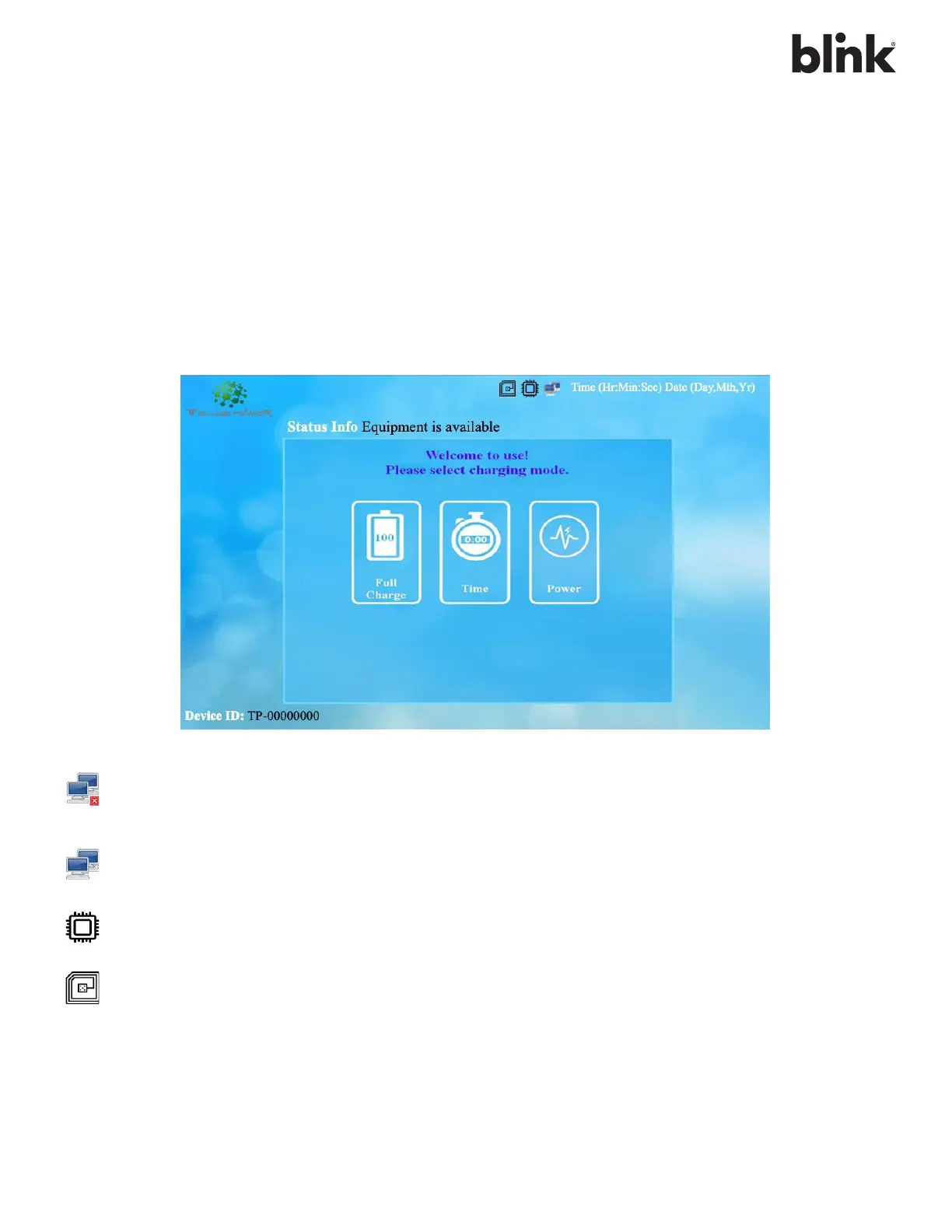
The Tellus Power Green charger provides multiple options to operate and charge the EV. All the Tellus chargers
come with a standard RFID card reader, Smart charging facility and optional Credit Card reader. Below is the
screen giving various options displayed.
•
Make sure the Emergency Button is turned off.
•
Switch ON the Charger from Main panel.
•
Switch the Main MCCB and MCB(s) within the charger
•
Wait for 1 to 2 minutes to Boot the machine and check 3 icons at top corner of Charger display
should appear.
This icon indicates the charger is not connected to a server network or loss of internet
connectivity. If no network is connected, the station works as a stand-alone device with Tellus
Power RFID cards.
This icon indicates the charger is connected to a server network; it can be authorized with
registered RFID cards or mobile app.
The stable icon indicates working condition of the charger. If the icon flashes or not visible on
the screen, the controller is inactive.
RFID card reader is active. If the icon is not visible on the screen, the RFID reader is inactive.



 To Next Page