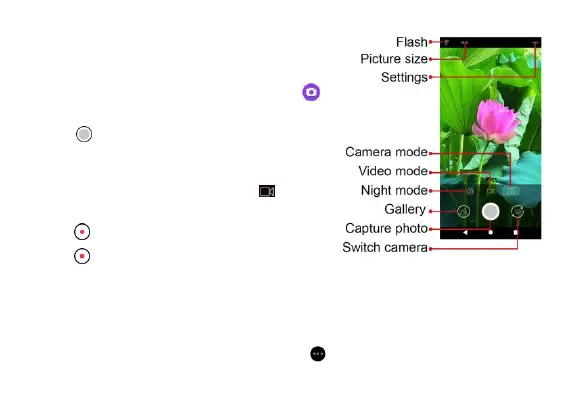
Camera
Take a photo
1. From the Home screen, tap Camera .
2. Aim the camera at your subject and
tap to take the photo.
Record a video
1. From the Camera screen, tap
to
switch to Video mode.
2. Tap to start recording a video.
3. Tap to stop recording and save your
video.
Camera settings
From the Camera screen, tap Settings to adjust camera settings.



 To Next Page