Setting up your
phone
Install
a Nano SIM/microSD card
Note: Please contact your cellular phone
service provider directly to obtain your SIM
card if your card is not preinstalled.
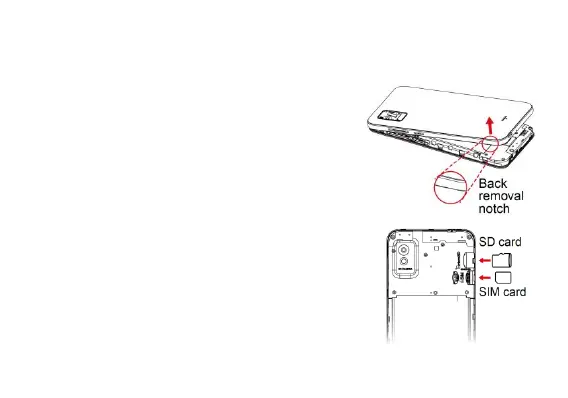
1. Gently remove the back cover via the notch
at the bottom left corner.
2. Hold the SIM card with metal contacts facing
downward and the cut corner at the bottom
left. Slide the card into the SIM slot.
3. Hold the microSD card (sold separately) with
metal contacts facing downward and the cut
side on the top. Slide the card into the
microSD slot.
4. Reattach the back cover and be sure to firmly
snap all four corners into place.



 To Next Page