2-13
DRIVER ORIENTATIONDRIVER ORIENTATION
Driver’s Area
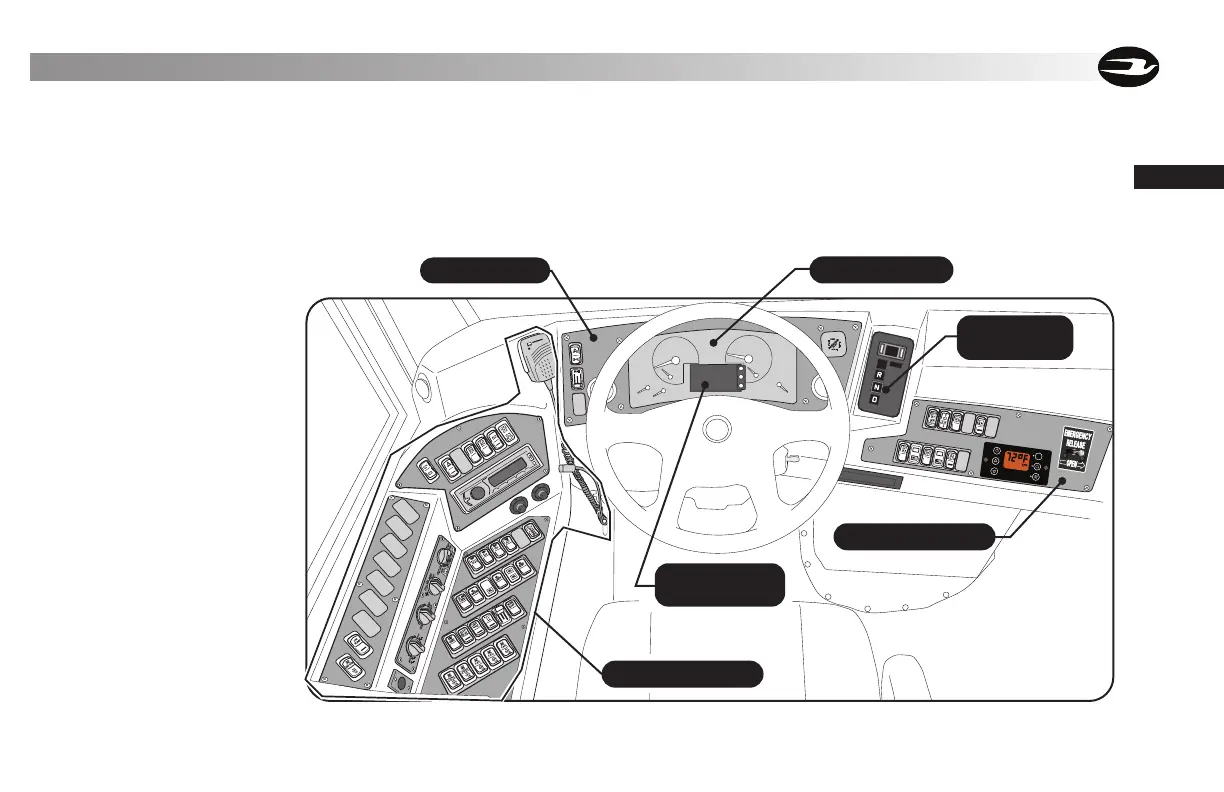
Blue Bird has designed many features into the Driver’s area. A one-piece molded dash housing spans the entire front of the bus. All gauges are
incorporated in a single main instrument cluster. Switch panels are located to the right and left of the instrument panel. The exact arrange-
ment of switches in all switch panels is somewhat dependent upon specific state specifications. (For example, some states require additional
switches for red and amber Warning Light pilots.) Shown are the standard and most common configurations. If your bus differs from the
diagrams shown, check with your local specifications and familiarize yourself with each switch function.
A tilt / tele-
scope steering
column provides
improved adjust-
ability range, allow-
ing the Driver to
use both hands to
position the wheel
for maximum com-
fort.
Push Button
Selector Pad
Right Switch Panel
Instrument Cluster
Instrument Panel
Driver Information
Display
Left Switch Console



 To Next Page