Models 3.2 - 13.2, controller µchiller
Blue Box - Page 58
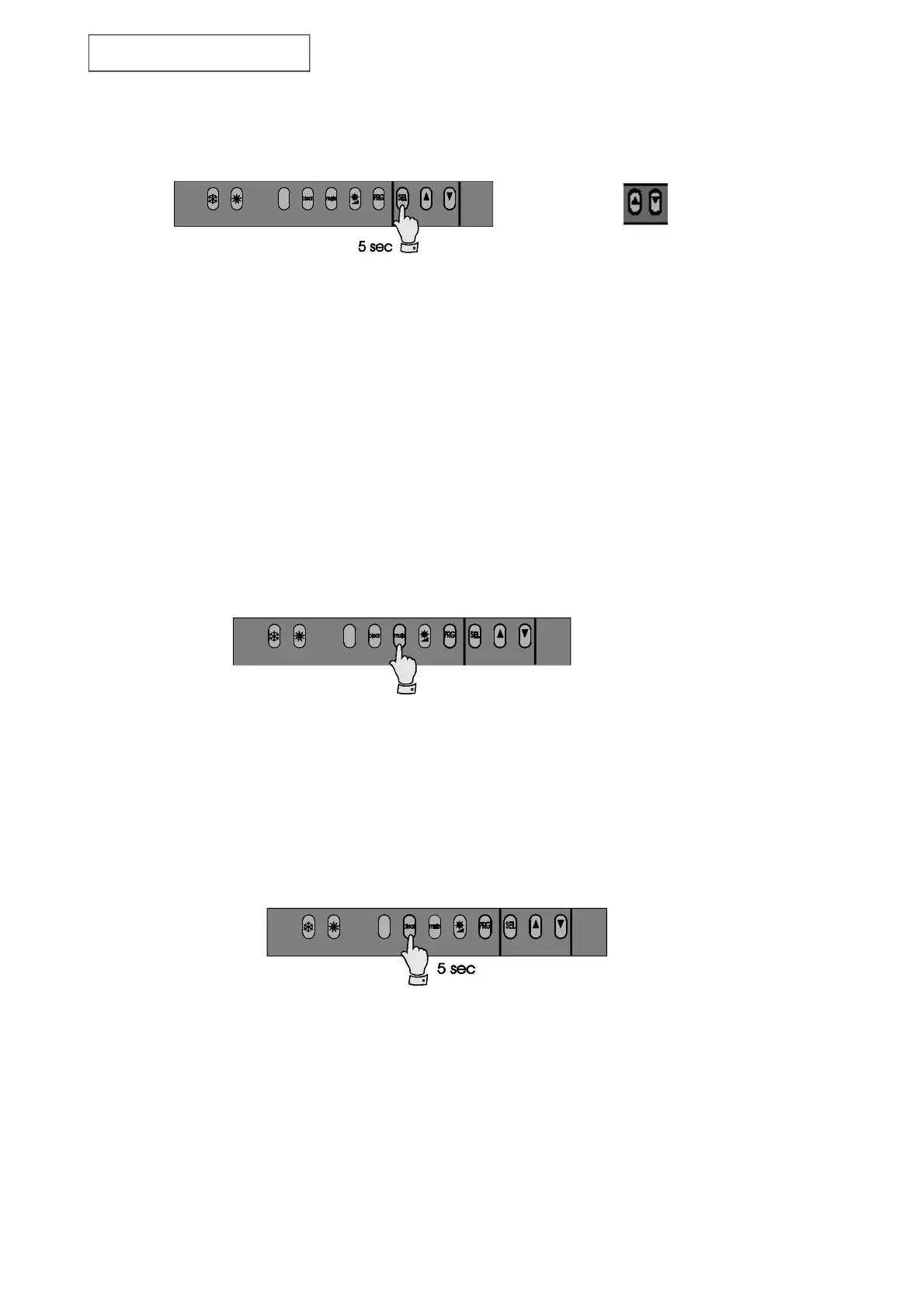
Figure 18
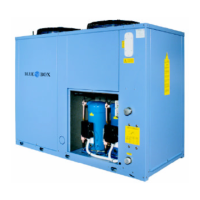
Figure 19
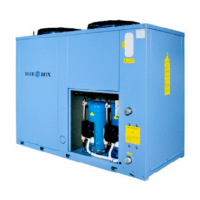
Figure 20
6.1.4 Control and display screens
Method of accessing the set-point and main machine control parameters.
Pressing the keys marked with an up or down arrow allows you to scroll through the parameters. The SEL key is
pressed again to display the value of the selected parameter, with the facility to edit the value if required using
the Up or Down keys. The PRG key is pressed to store changed values and to stop the procedure, while pressing
the SEL key returns you to the parameter selection menu. If no keys are pressed, in an interval of 10 seconds,
during parameter editing the display starts flashing. If no keys have been pressed within 60 seconds, after
activating the programming procedure, the controller will return to the temperature display without saving any
changes that have been made. This procedure is useful if it proves unnecessary to alter any parameters.
6.1.5 Muting the BUZZER
Press the MUTE key to silence the buzzer if it is currently sounding.
6.1.6 ALARMS reset
Pressing the Up or Down keys for more than 5 seconds cancels any alarms currently in the memory (manual
reset), clear the associated message from the display and deactivate the alarm relay. In wall mounted models this
function is obtained by pressing the CLEAR key for 5 seconds.
Parameter
scroll keys


 To Next Page