4 Getting Started
9
2
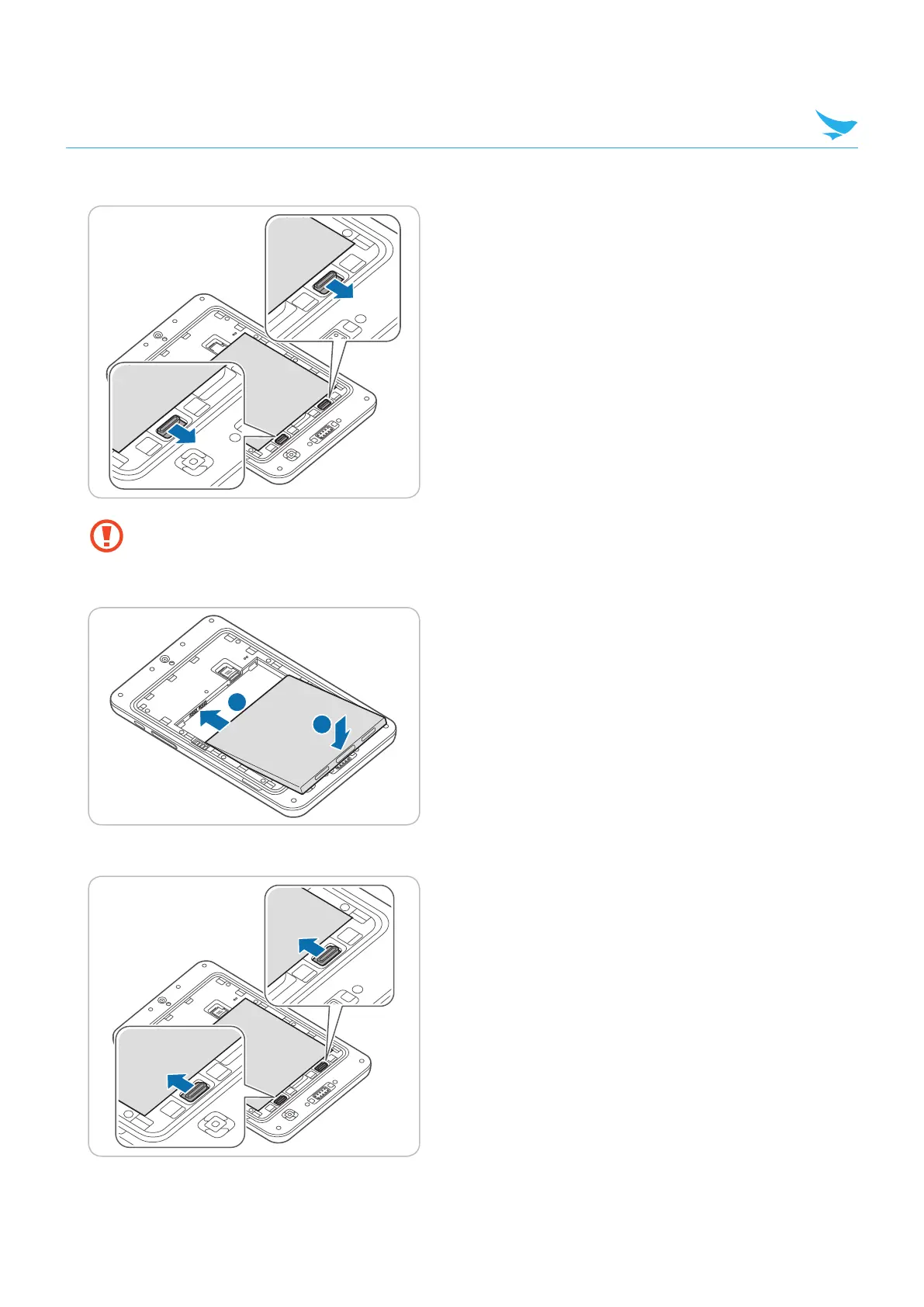
Slide down the battery locks to unlock the battery compartment.
• When removing the battery cover, be careful not to damage your fingernail.
• Do not try to pull the battery cover excessively. It may damage the cover.
3
Insert the battery. Make sure the gold contacts are aligned.
2
1
4
Slide up the battery locks to lock the battery slot.



 To Next Page