4 Getting Started
8
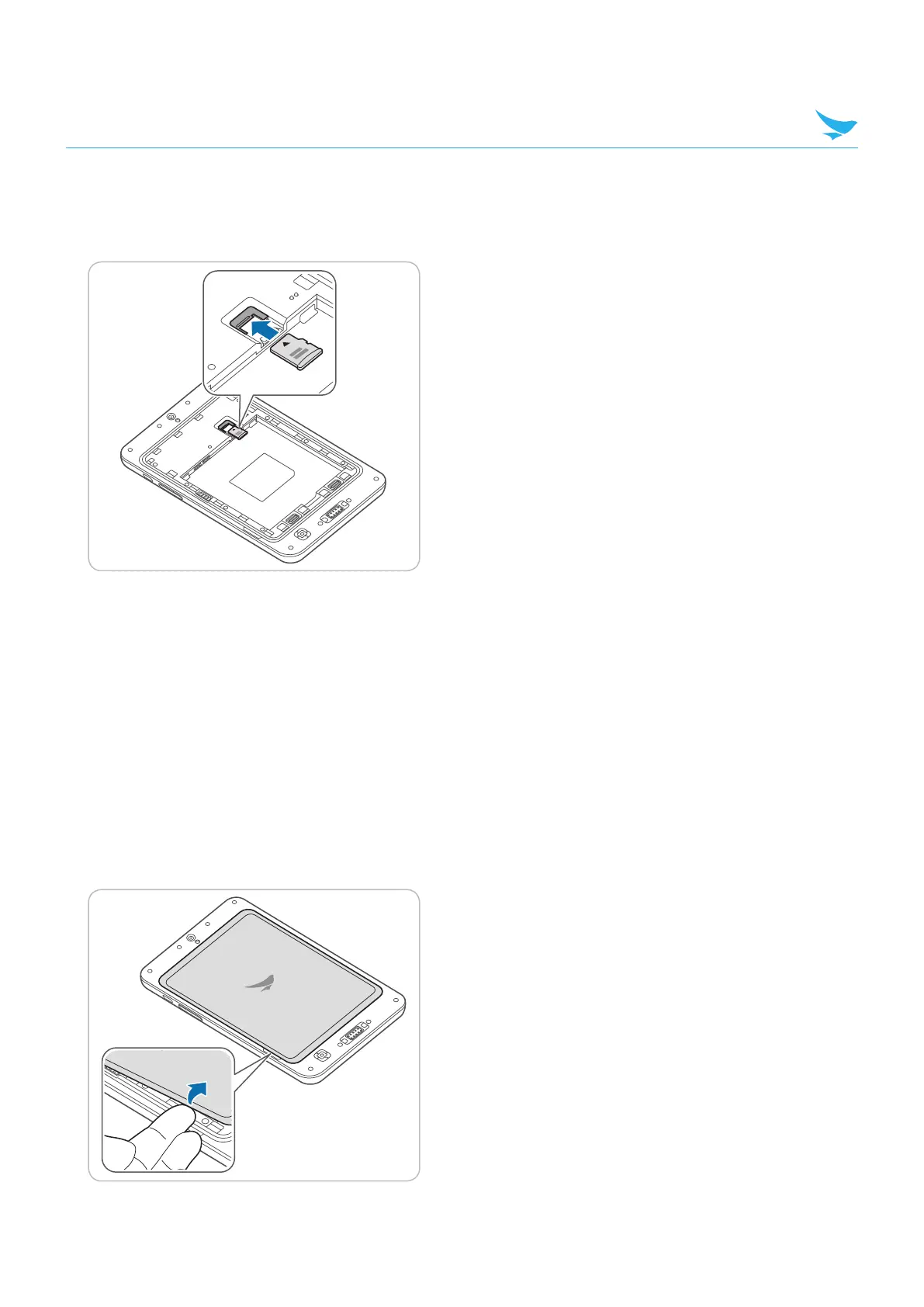
To insert the micro SD card
Align a micro SD card with the slot. Make sure that the gold contacts on the card are facing down. Slide the
card into the slot. It will click when it is properly inserted.
To remove the micro SD and SIM card
Pull the cards out to remove it.
4.2 Battery
RT080 uses a 6,000 mAh Lithium-ion rechargeable battery. Install the provided battery before charging the
device.
4.2.1 Installing the Battery
1
Use the notch and lift the battery cover. Remove the cover completely.



 To Next Page