•
WiFi Connection
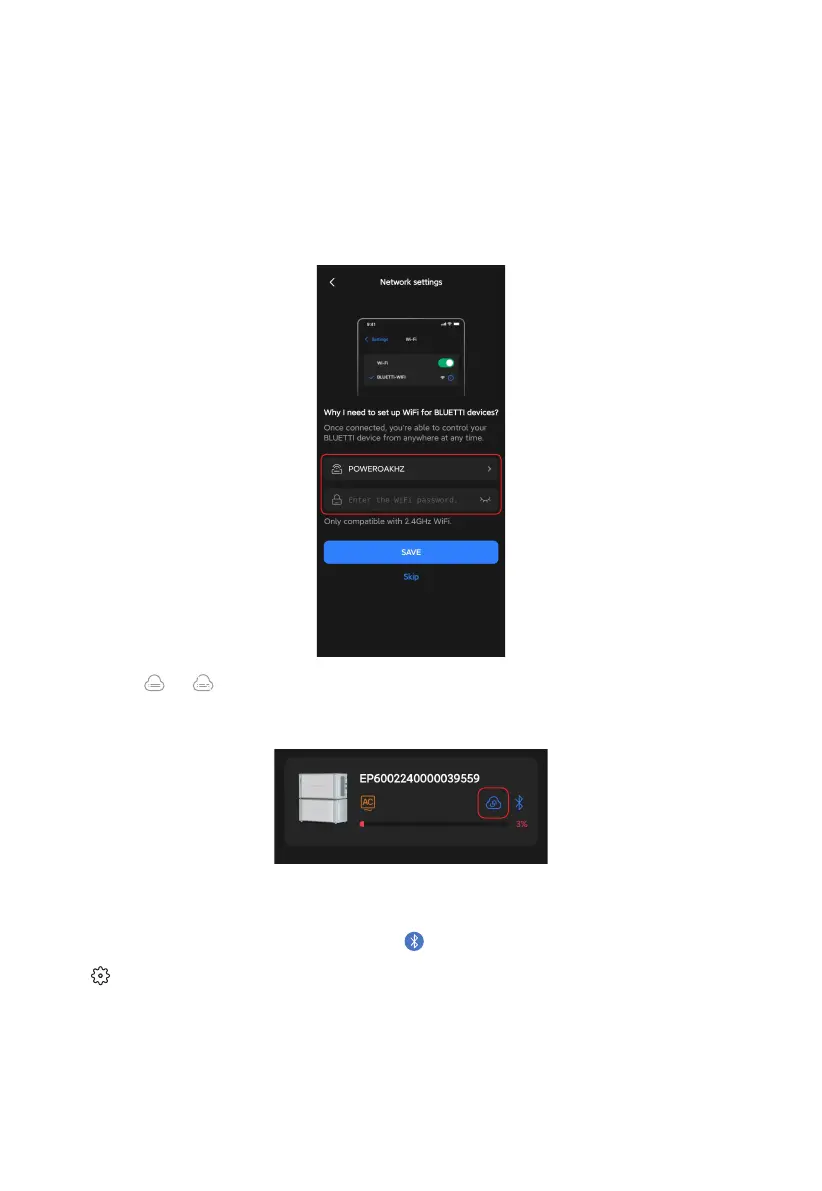
If you've registered your EP600 ESS, you can also connect to it via WiFi to get the most
out of the BLUETTI app. To get started, you need to configure the network first.
Or, tap the or icon under the EP600 ESS's name to configure the network. You'll also be
taken to the Network settings page and follow the same steps to complete the configuration.
■
Configure the network
With a successful binding, you'll be taken to the Network settings page automatically.
Select your WiFi from the available list. Fill in its password in the pop-up, and SAVE it.
It's worth noting that when you connect to the EP600 ESS via Bluetooth, you can also
make changes to the network settings. Tap and go to the operation status page. Tap
the icon and change the configuration in the Network settings section.
Note: The EP600 ESS supports 2.4GHz WiFi only.
10



 To Next Page