8
Device Sharing
Features
Bluetooth connection WiFi connection
Firmware Upgrade
Parallel Management
SoC Setting
Charge & Discharge Time Setting
Real-time Alarm
Battery Pack Status Monitoring
√
√
x
√
√
√
√
√
√
x
√
√
√
√
Connection
The EP600 ESS supports both Bluetooth and WiFi connections. A simple comparison is as
follows:
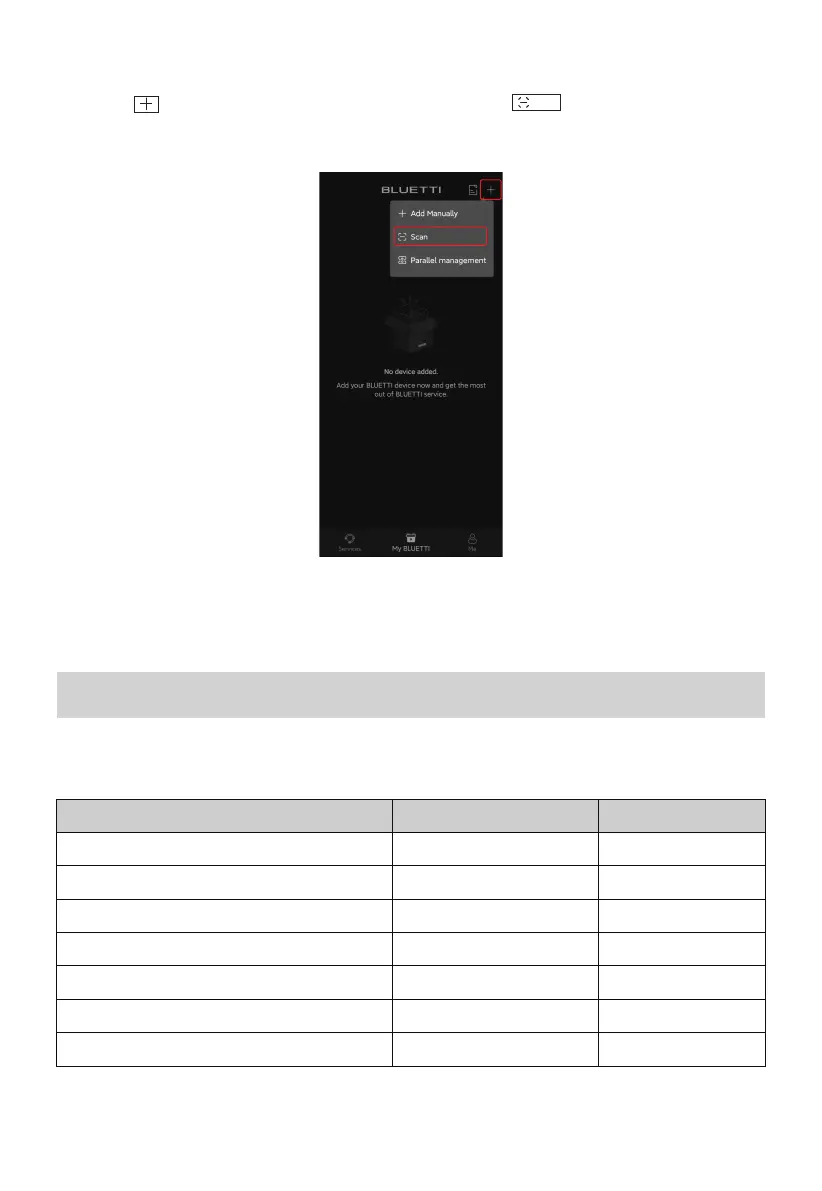
• QR Code
1.Tap the icon on My BLUETTI page, and then select from the menu.
2.Scan the QR code on the back of your EP600.
Scan
Note: The EP600 ESS can be bound to one account only, while can be shared with
multiple accounts.



 To Next Page