Note: If you don't receive the email with verification code, check your Junk or Spam folder. If
you still can't find the email, try "Get Code" again as there may be a delay. If the code is still
unavailable, please contact BLUETTI customer service for assistance.
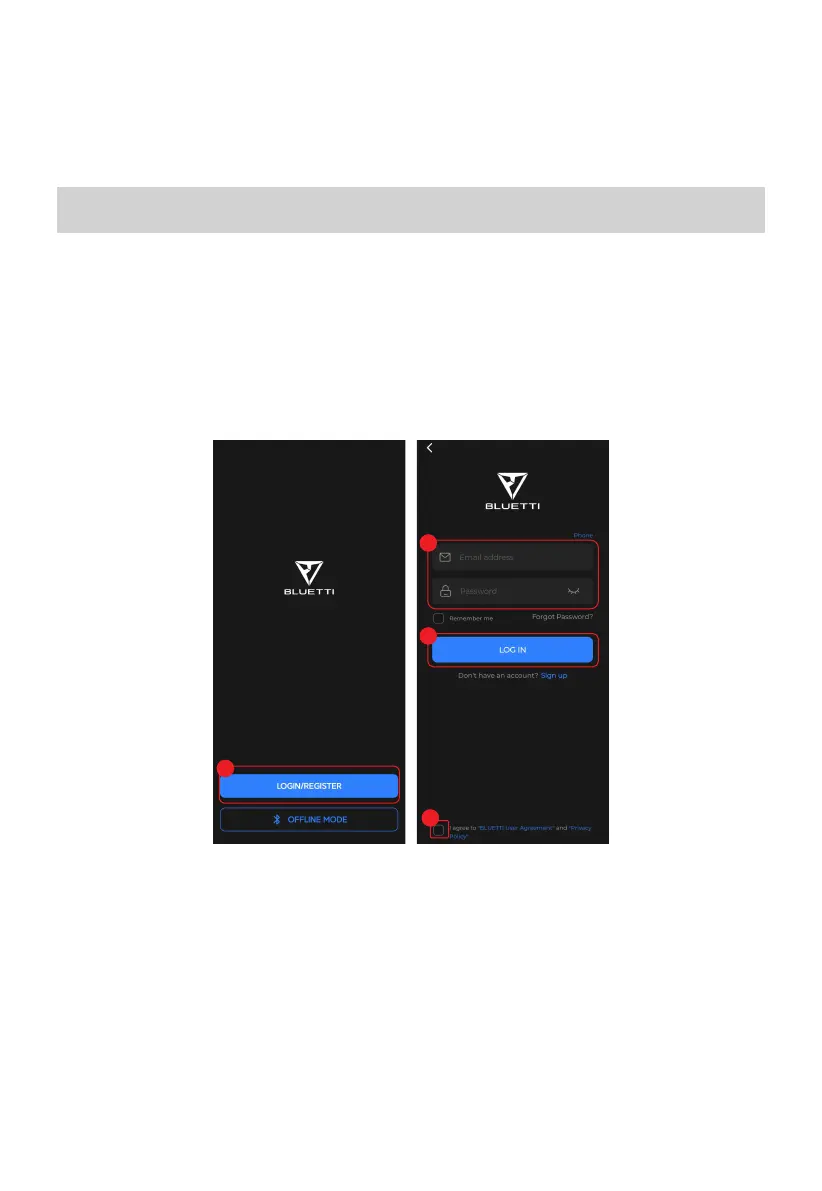
Log in
1. Open the app and tap LOGIN/REGISTER.
2. Enter your account details.
3. Tick the checkbox
4. Tap LOG IN.
Note: If you forget your password, tap Forgot Password? to reset it.
Note: If you don't receive the email with verification code, check your Junk or Spam folder. If
you still can't find the email, try "Get Code" again as there may be a delay. If the code is still
unavailable, please contact BLUETTI customer service for assistance.
1
2
4
3
4



 To Next Page