21
Change Password
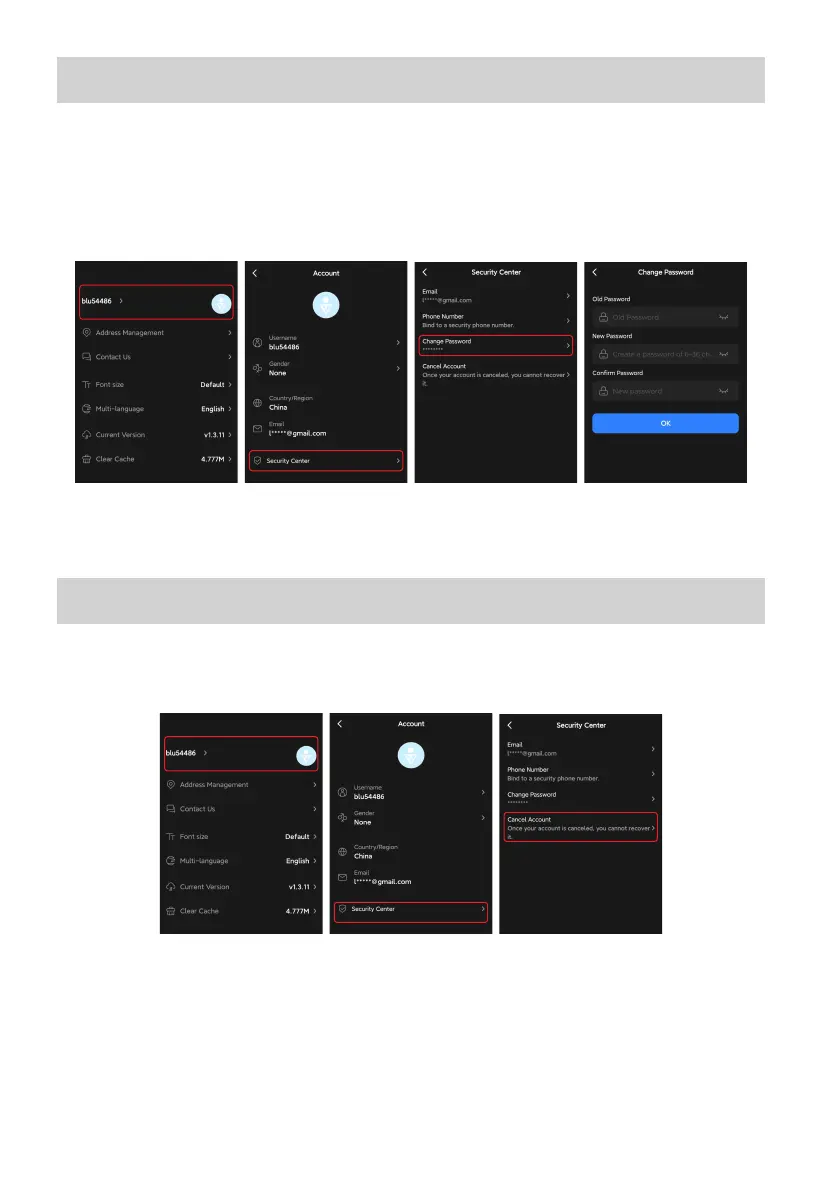
1. On the Me page, tap on your name or avatar and you'll be taken to the Account page.
2. Tap the Security Center at the bottom.
3. Select the Change Password from the menu.
4. On the Change Password page, enter your passwords and tap OK to save the change.
Note: For safety purposes, it's recommended that you update the password regularly.
Cancel Account
1.On the Me page, tap on your name or avatar and you'll be taken to the Account page.
2.Tap Security Center > Cancel Account, and follow the prompts.
Note: Canceling your BLUETTI account will result in the permanent deletion of all relevant
data, including your identity information, device data, service history, and other pertinent
information. You're strongly recommended to back up any important information before
proceeding with the cancellation process.



 To Next Page